
Want to try the full-power 671B Deepseek-r1 for free with web and API access? There aren't many options on the market!
- deepseek.com official: The web version is free and offers the best performance, but there is no free API quota, and top-ups are currently paused.
- ByteDance Volcano Ark / Silicon Flow, etc.: Provide the full-power R1 version and API, but offer no free quota.
- Baidu Intelligent Cloud Qianfan ModelBuilder: Offers a limited-time free trial of the full-power R1 version and API. Unfortunately, the interface is not OpenAI-compatible, making it inconvenient to use.
- 302.ai and other cloud service providers: Mostly offer partial free quotas for the web version but do not provide free API quotas.
After a comprehensive review, currently, the only platforms I've found that offer sufficient free quota, provide the full-power R1, and support OpenAI-compatible API calls are: Tencent Cloud Ti Platform and Alibaba Cloud Bailian.
Platform Free Web Trial Free API Calls OpenAI-Compatible API Notes ByteDance Volcano Ark ✅ Paid ✅ API requires payment / Web trial has partial free quota Silicon Flow ❌ Paid ✅ Requires payment 302.AI Partial free quota Paid ❌ Requires payment Baidu Intelligent Cloud Qianfan ModelBuilder ✅ ✅ ❌ Limited-time free Tencent Cloud Large Model ✅ ✅ ✅ Free until Feb-26 Alibaba Cloud Bailian ✅ ✅ ✅ Free 1 million tokens
Alibaba Cloud Bailian
Service Activation and API Usage Instructions
I. Service Activation
- Registration & Login: Visit the Alibaba Cloud Bailian Console at https://bailian.console.aliyun.com, register an Alibaba Cloud account, and log in.
- Real-name Verification: Complete the real-name verification process as prompted.
- API Key Creation: Go to the API Key Management page and create a new API Key at https://bailian.console.aliyun.com/?apiKey=1.
II. API Resources and Limits
- Free Quota: 1 million tokens of free call quota.
- Call Limits:
- Maximum calls per minute: 60
- Maximum token consumption per minute: 100,000
III. OpenAI-Compatible API
For developer convenience, Alibaba Cloud Bailian provides an interface compatible with the OpenAI API:
- API URL:
https://dashscope.aliyuncs.com/compatible-mode/v1 - API Key (SK): Use the API Key you created on the "API Key Management page".
- Available Models:
deepseek-r1,deepseek-v3
Tencent Cloud Large Model Knowledge Engine
Service Activation and API Usage Instructions
I. Service Activation
- Account Registration & Login: Visit the Tencent Cloud Console at https://console.cloud.tencent.com, register a Tencent Cloud account, and log in.
- Real-name Verification: https://console.cloud.tencent.com/developer/auth Complete the real-name verification process as per the page instructions.
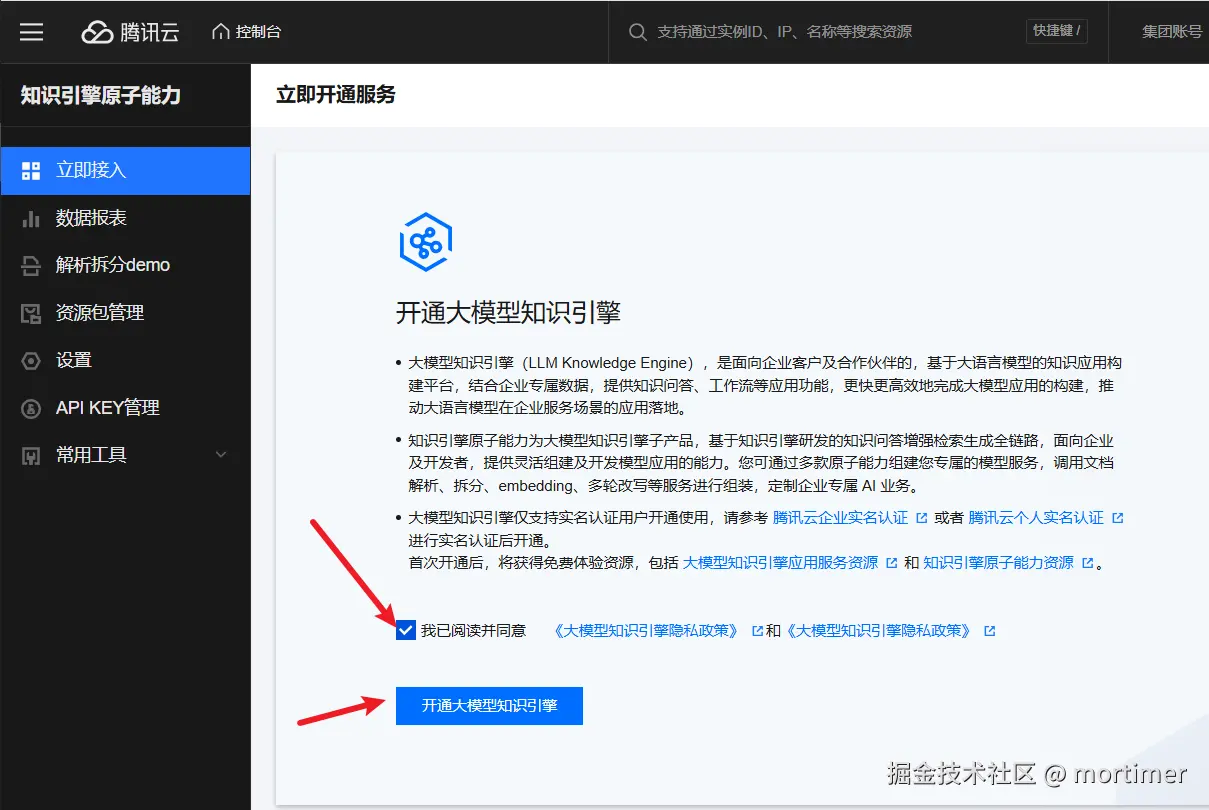
- Large Model Knowledge Engine Service Activation:
- Go to the Large Model Knowledge Engine Service page at https://console.cloud.tencent.com/lkeap.
- Follow the page instructions to activate the "Large Model Knowledge Engine" service.
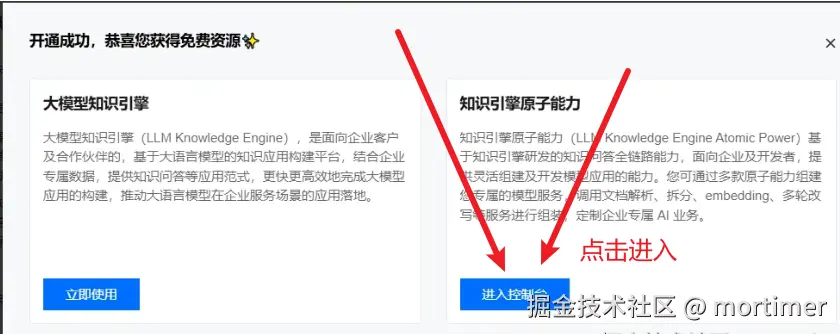
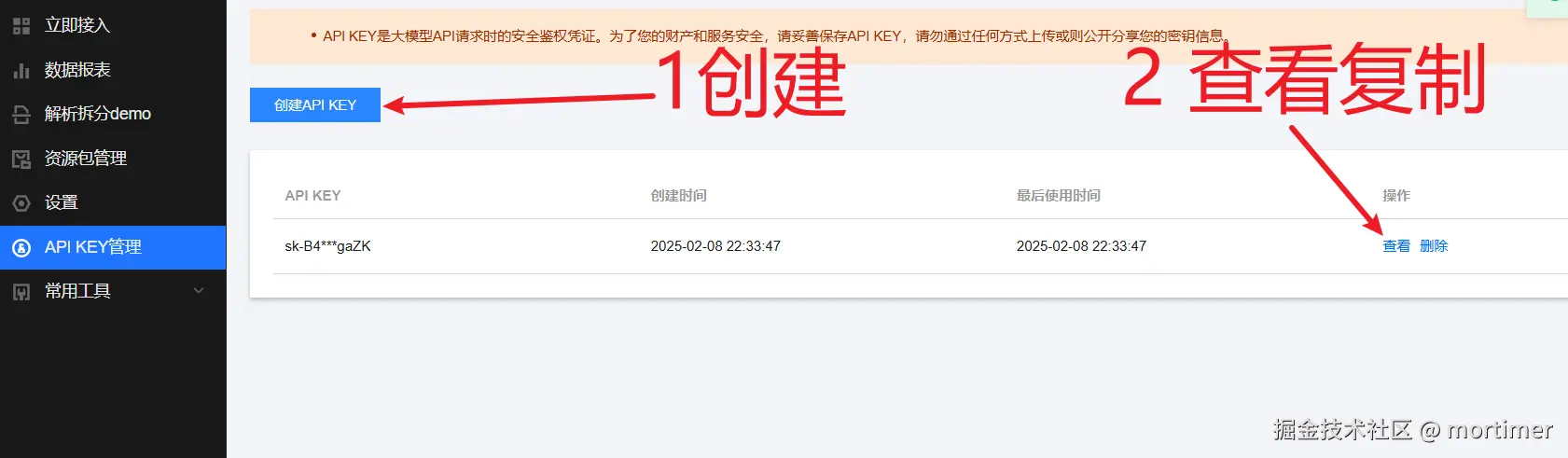
 4. API Key Creation: * Enter the Large Model Knowledge Engine console. * Create a new API Key on the API Key Management page.
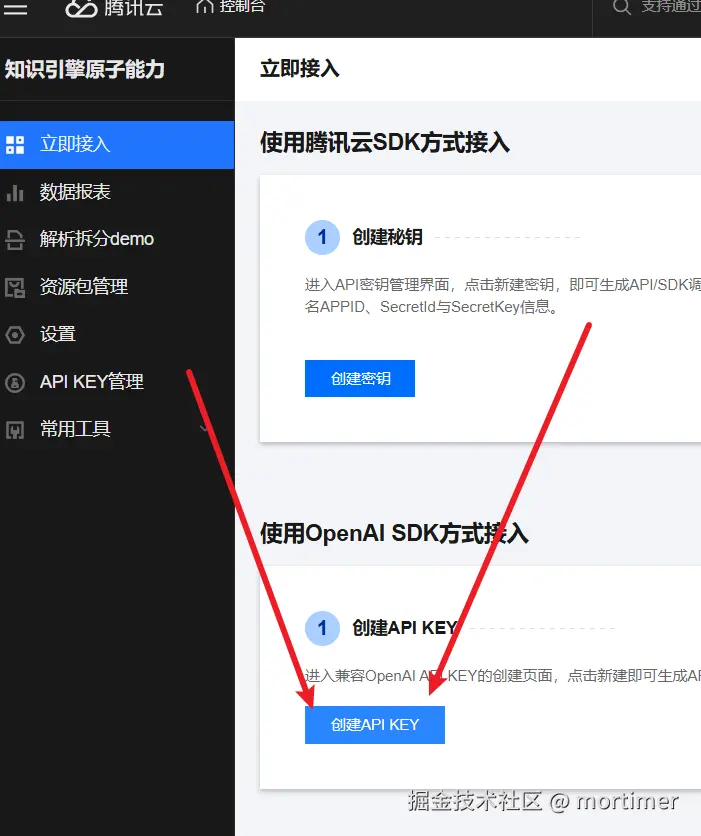
- API Key Copy: Copy the created API Key.
II. OpenAI-Compatible API
Tencent Cloud Large Model provides an interface compatible with the OpenAI API:
- API URL:
https://api.lkeap.cloud.tencent.com/v1 - API Key (SK): Use the API Key you copied in the previous step.
- Available Models:
deepseek-r1,deepseek-v3
III. Online Experience
You can experience the DeepSeek series models online via the following address:
First-time access may require applying for model usage permission. 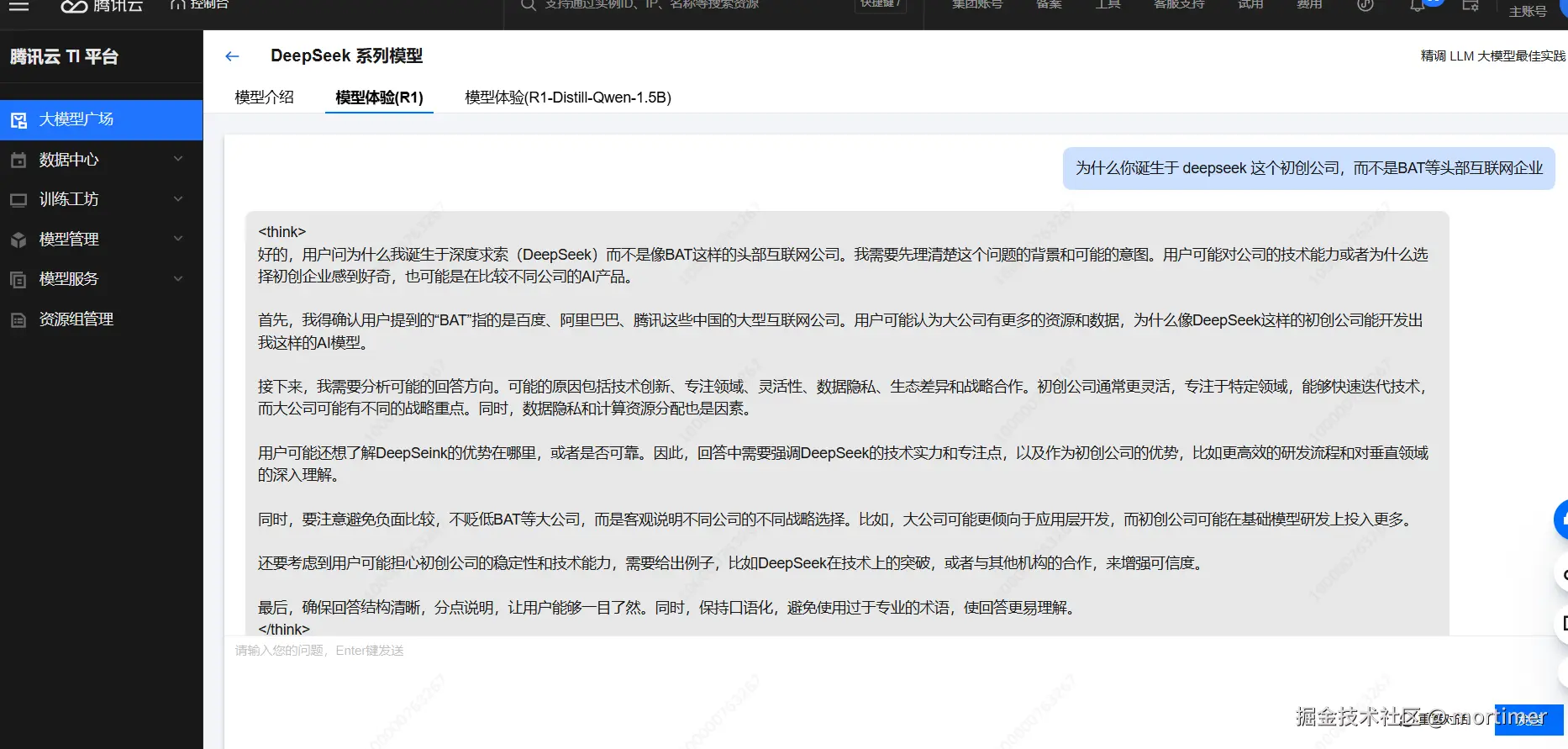
IV. Free Quota and Validity Period
- Free Period: Until 23:59:59 Beijing Time, February 25, 2025.
- Billing Note: After the free period ends, charges will apply based on actual usage.
