
DeepL Translation Channel
What is it?
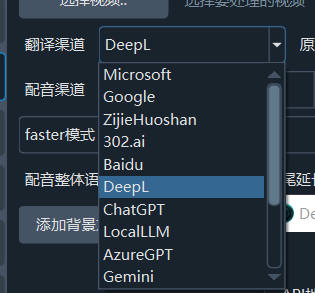
DeepL is a high-quality machine translation service from Germany, renowned for its natural and accurate translations — especially for European languages. pyVideoTrans connects through the official DeepL Python SDK, supporting both the DeepL official API and self-hosted compatible APIs.
Prerequisites
- pyVideoTrans software
- A DeepL paid account (free accounts cannot use the API)
How to Get an API Key
Step 1: Create a DeepL account
Go to https://www.deepl.com/signup to register. Note that DeepL requires a phone number from a supported region for registration.
Step 2: Get your Auth Key
- After logging in, visit https://www.deepl.com/your-account/keys
- Your Auth Key (i.e., the API key) will be displayed on the page
- Copy the key (it looks like
xxxxxxxx-xxxx-xxxx-xxxx-xxxxxxxxxxxx:fx)
Note: The free-tier Auth Key ends with
:fx, while the paid version does not. Both work in pyVideoTrans.
Configuring in pyVideoTrans
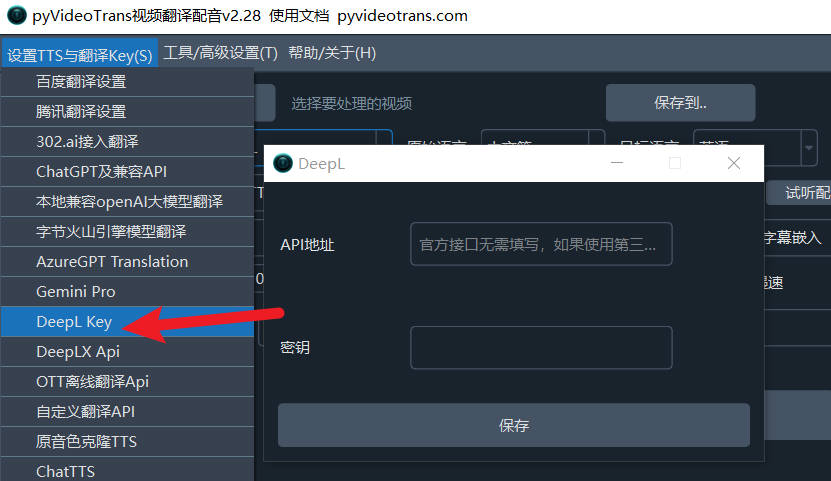
- Open the menu bar → Translation Settings → DeepL Settings
- Enter the copied API key in the Auth Key field
- Leave the API URL empty (not needed when using the official DeepL API)
- If you're using a self-hosted DeepL-compatible API (e.g., DeepLX), enter its address here
- Optionally enter a Glossary ID for consistent terminology translation
- Click the Test button to verify the connection
- Save after a successful test
Recommended Configuration
| Setting | Recommended Value |
|---|---|
| Auth Key | Obtained from DeepL |
| API URL | Leave empty (for official API) |
| Glossary ID | Leave empty (optional, for advanced users) |
Supported Languages
DeepL supports translation between the following languages: Chinese (Simplified/Traditional), English, German, French, Spanish, Portuguese, Italian, Dutch, Polish, Russian, Japanese, Korean, Turkish, and more.
Automatic language code mapping:
en→EN-US,zh-CN→ZH-HANS,zh-TW→ZH-HANT,pt→PT-PT
Important Notes
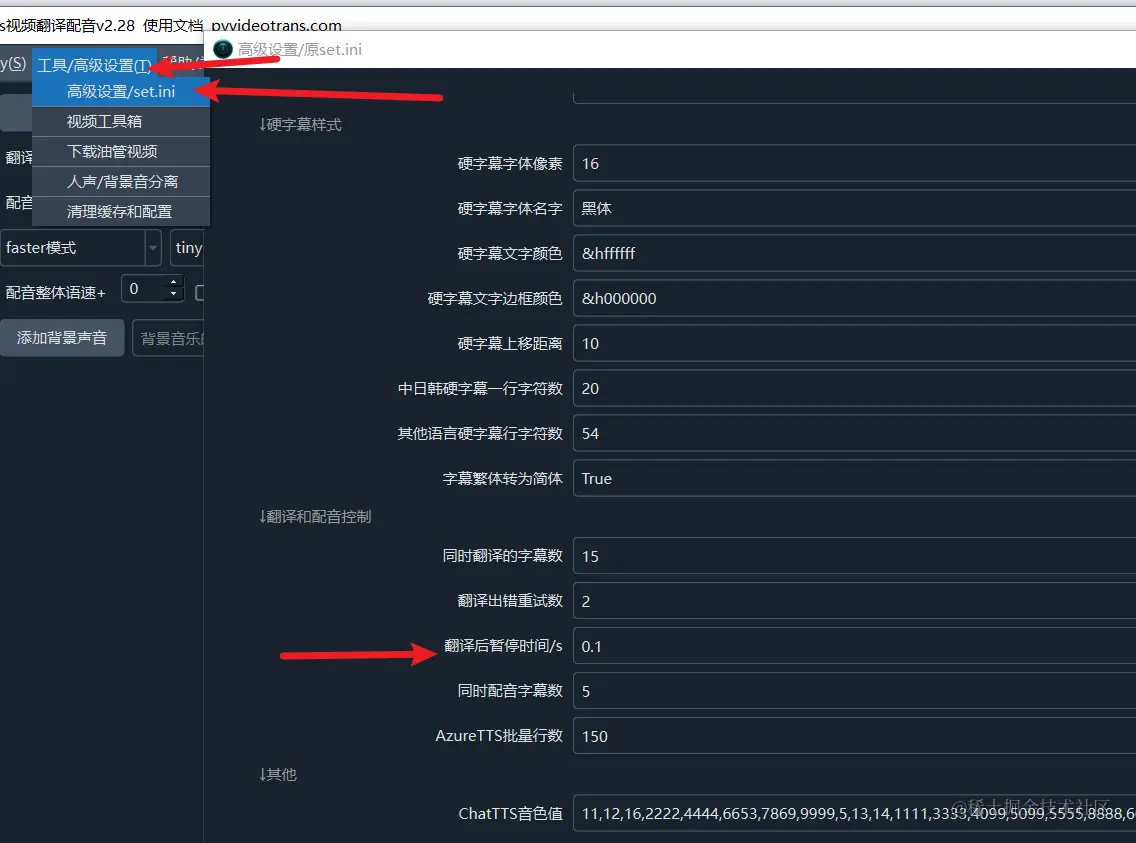
Most AI translation channels may limit requests per minute. If you encounter rate limit errors, go to Menu → Tools/Options → Advanced Options → Post-translation pause time and set a delay in seconds (e.g., 30) to wait between translations and avoid exceeding the limit.
Troubleshooting
| Issue | Cause | Solution |
|---|---|---|
| Connection failed | Auth Key entered incorrectly | Check the key format is correct |
| "Quota exceeded" | API quota used up | Wait for the monthly quota reset, or upgrade your plan |
| Registration unavailable | DeepL requires a supported region phone number | Use a phone number from a supported region |
| Garbled translation output | Unstable network | Check your network connection |