
OpenRouter AI Translation Channel
What is it?
OpenRouter is an AI model aggregation platform that provides unified API access to a wide variety of AI models (including Claude, Llama, Mistral, GPT, and more). With OpenRouter, a single API key gives you access to models from multiple providers — perfect for users who want the flexibility to switch between models.
Prerequisites
- pyVideoTrans v3.74 or higher
- An OpenRouter platform account (to obtain an API key)
How to Get an API Key
Step 1: Sign up and log in to OpenRouter
Go to https://openrouter.ai and register with a Google account or email.
Step 2: Create an API Key
- After logging in, visit https://openrouter.ai/settings/keys
- Click "Create Key"
- Give the key a name
- Copy the generated API key and save it
Step 3: Add credit to your account
OpenRouter requires paid usage (some models have free tiers). Go to https://openrouter.ai/credits to top up.
Configuring in pyVideoTrans
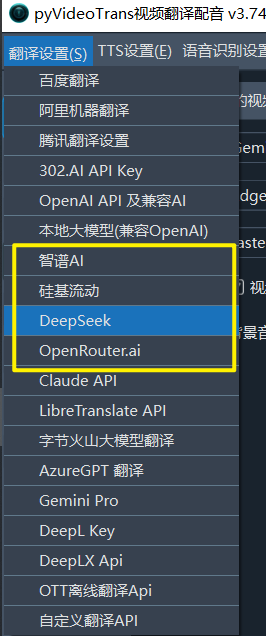
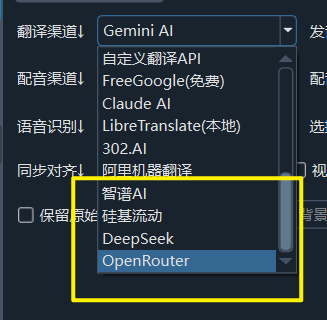
- Open the menu bar → Translation Settings → OpenRouter Settings
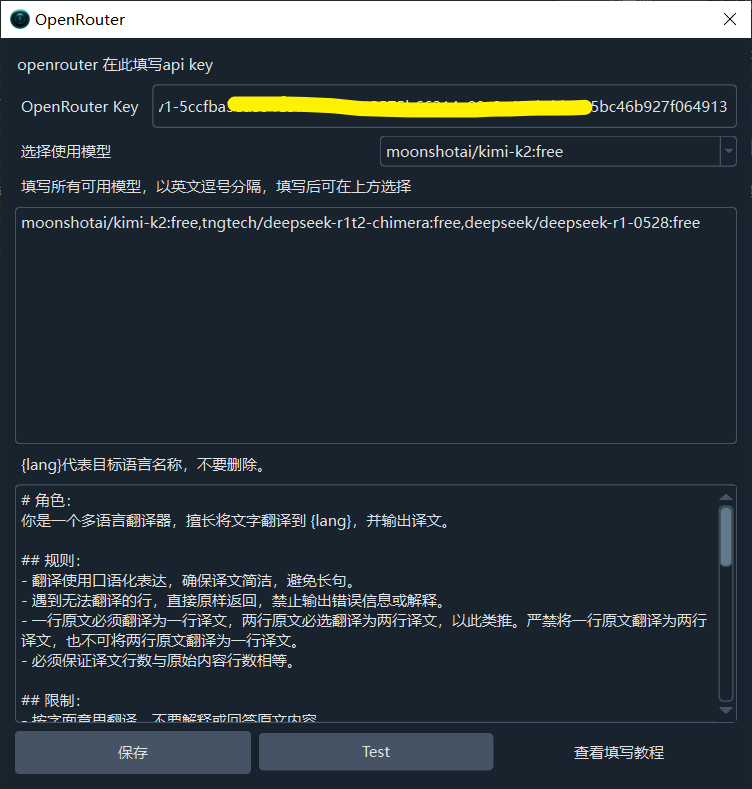
- Enter the API key from the OpenRouter platform in the API KEY field
- Select a model from the dropdown, for example
anthropic/claude-sonnet-4,google/gemini-flash-1.5, etc.- You can also manually enter other model names supported by OpenRouter
- Optionally set the Reasoning Effort level
- Click the Test button to verify the connection
- Save after a successful test
Recommended Configuration
| Setting | Recommended Value |
|---|---|
| API URL | https://openrouter.ai/api/v1 (default, no changes needed) |
| API Key | Obtained from OpenRouter platform |
| Model | anthropic/claude-sonnet-4 (high quality) or google/gemini-flash-1.5 (good value) |
| Max Output Tokens | 8192 (default, adjust based on model) |
Popular Model Recommendations
| Model | Features | Best For |
|---|---|---|
anthropic/claude-sonnet-4 | Excellent translation quality | High-quality translations |
google/gemini-flash-1.5 | Fast and cost-effective | Everyday translations |
meta-llama/llama-3.1-8b-instruct | Free tier available | Free trial |
mistralai/mistral-7b-instruct | Free tier available | Free trial |
Browse all available models and pricing at https://openrouter.ai/models.
Troubleshooting
| Issue | Cause | Solution |
|---|---|---|
| "Authentication Error" | API key incorrect | Log in to OpenRouter and generate a new key |
| "Insufficient balance" | Account balance too low | Top up at https://openrouter.ai/credits |
| Model returns error | Incorrect model name format | Ensure the model name follows the provider/model-name format |
| Connection timeout | Network issue | Check your network connection |
| Rate limit errors | Too many requests | Increase the post-translation pause time |