AI has permeated every aspect of our work and entertainment. Whether it's the international giants like OpenAI, Gemini, and Claude, or domestic players like DeepSeek, Zhipu AI, Tongyi Qianwen, and Kimi, major companies offer powerful AI models.
However, a major headache is that for each platform's model we want to use, we need to register an account, and sometimes even bind a payment method. Want to use ChatGPT? You need an OpenAI account. Want to try Gemini? You need a Google account.
Of course, there are some AI aggregation platforms on the market, such as Alibaba Cloud's Bailian, ByteDance's Volcano Ark, etc. But they mainly focus on their own models and lack top international models. While Silicon Flow offers some international models, the selection isn't comprehensive, missing popular choices like OpenAI and Claude.
Is there a platform that provides both domestic and international mainstream AI models and is convenient for Chinese users? The answer is yes, and that is OpenRouter.ai!
Advantages of OpenRouter.ai:
- Directly accessible from China with stable speeds: No special network environment is needed for smooth usage.
- Comprehensive model selection: Includes mainstream AI models from both China and abroad, such as OpenAI, Google, Claude, Deepseek, Qwen, and more.
- Free quota: Provides a daily free request quota, allowing you to easily experience various models.
1. Free Registration and Login
Visit the OpenRouter.ai official website: https://openrouter.ai
- If you have a Google account, you can log in directly using it.
- If not, click "Sign up" to register with your email.
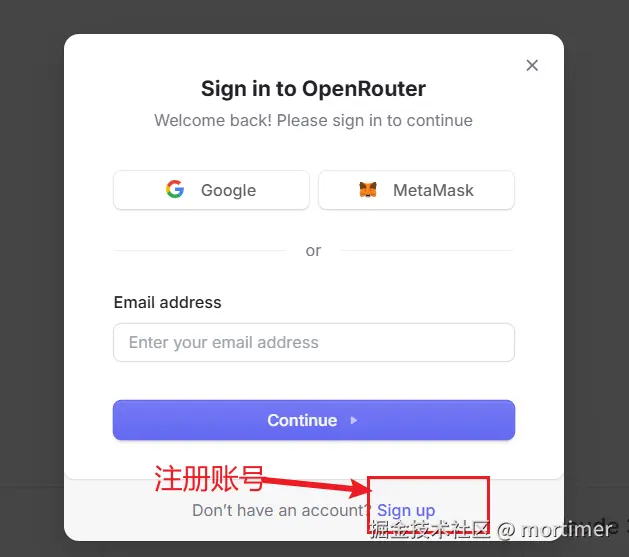
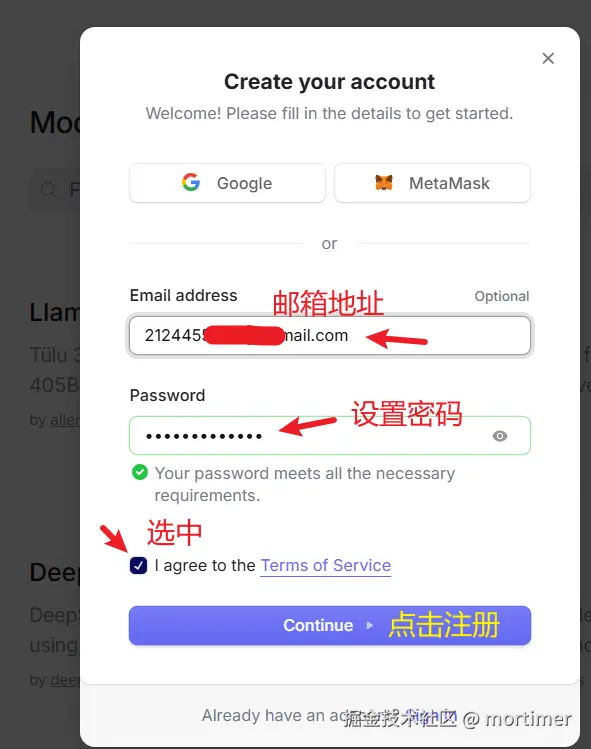
After registering, open your email and click the verification link in the email to log in.
2. Create an API Key
After logging in, go to the API key management page: https://openrouter.ai/settings/keys
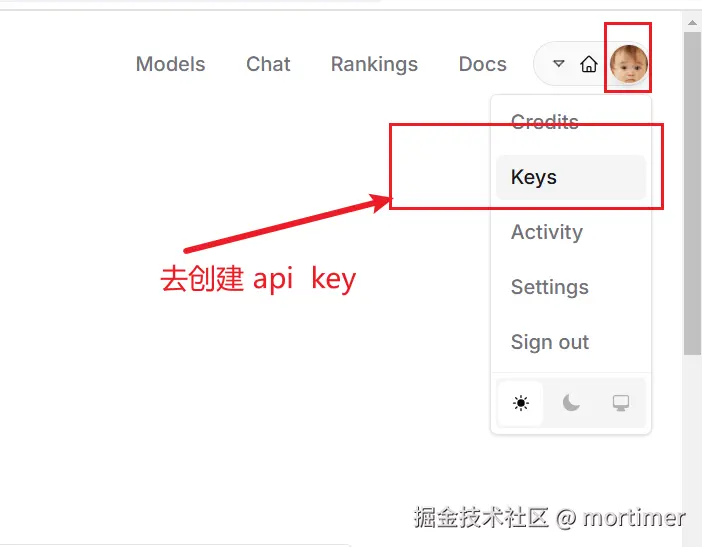
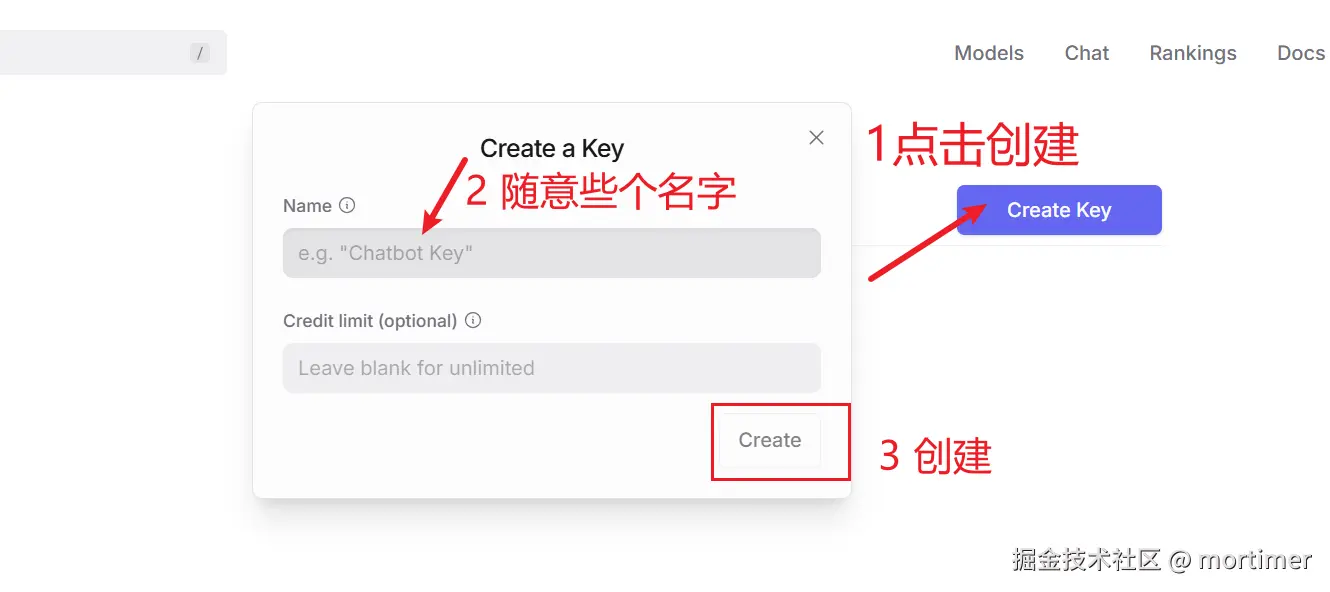
Click "Create Key" to create a new API key.
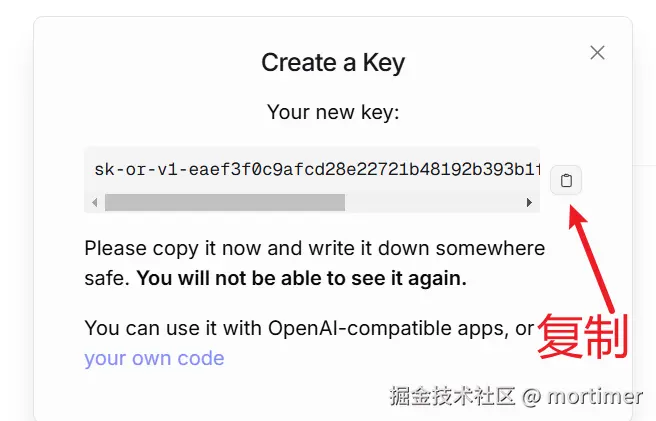
Copy the generated API key and store it securely.
3. Explore Free Models
Visit the OpenRouter.ai models list page: https://openrouter.ai/models
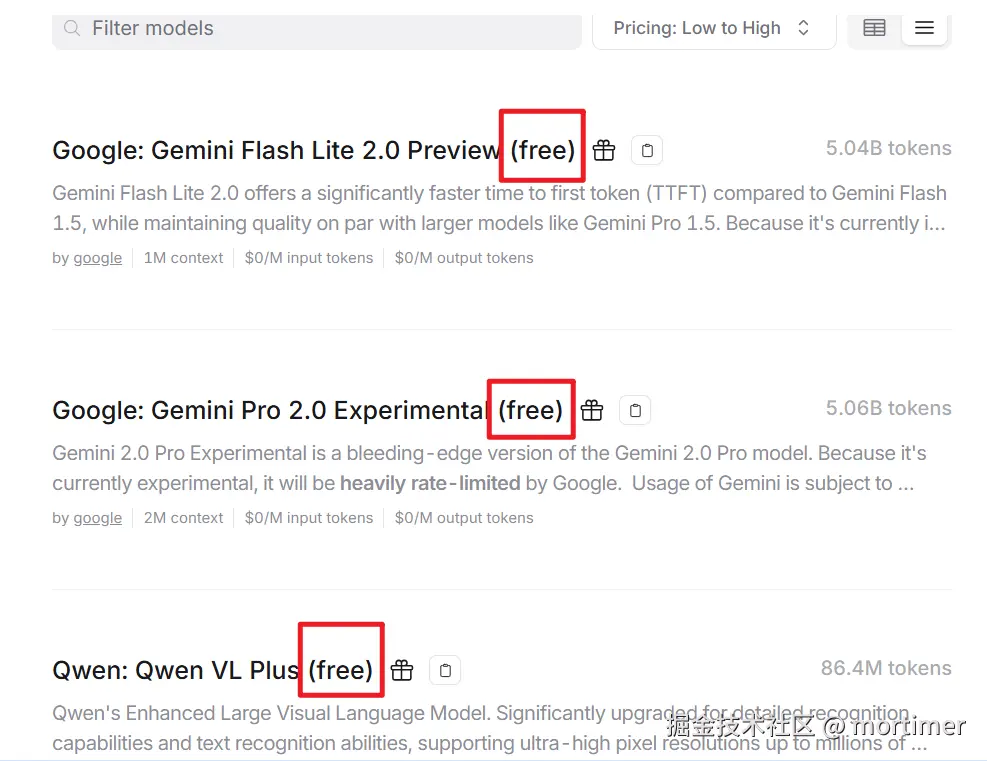
Filter to show all free models as shown below.
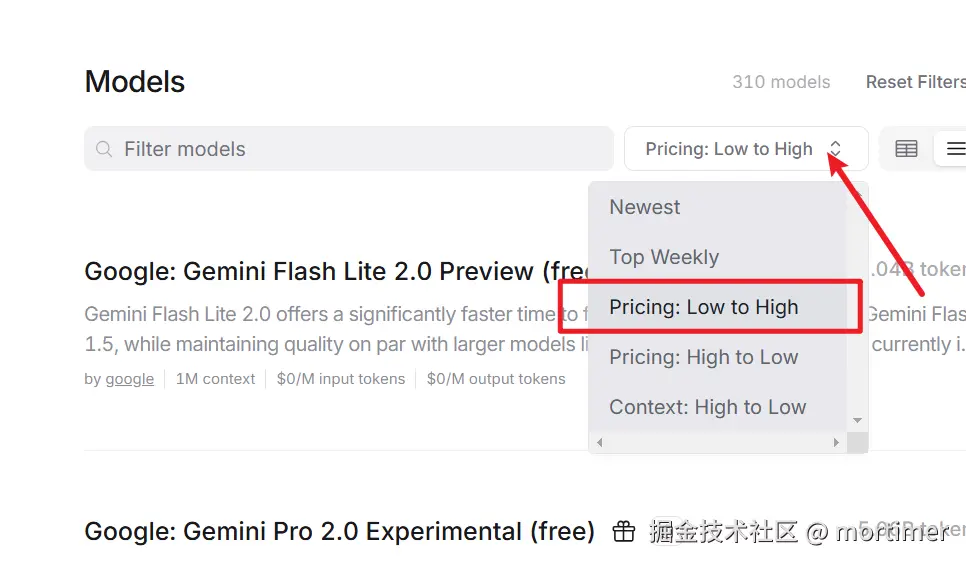
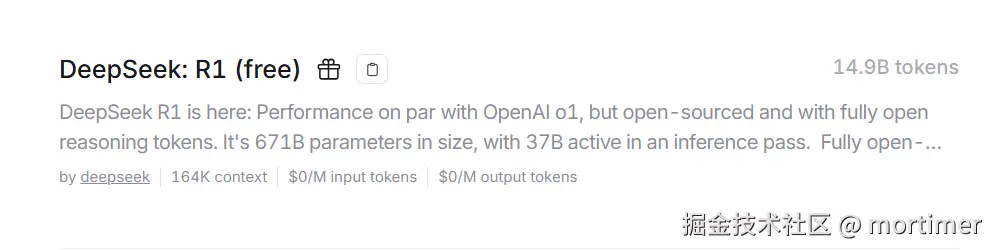
You will see many models marked with (free). These are all available for free use, including the full-featured DeepSeek:R1.
Free Quota Explanation:
OpenRouter.ai provides each user with a daily free request quota of 200 requests.
4. Using OpenRouter.ai as a Replacement for OpenAI
Select a model you are interested in and copy its Model Name.
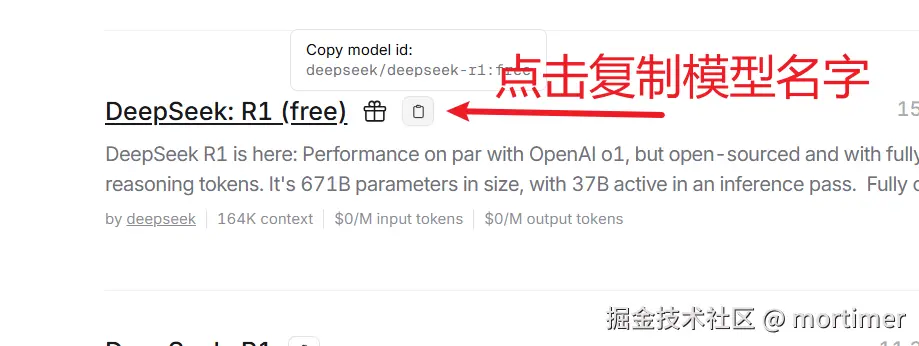
Now, you can use OpenRouter.ai in any application or code that supports the OpenAI API format by using the following:
- API Endpoint:
https://openrouter.ai/api/v1 - API Key (SK): The OpenRouter.ai API key you copied earlier
- Model Name: The model name you just copied
5. Special Recommendation: Free Experience of Full-Featured DeepSeek-R1
OpenRouter.ai also offers a special model: deepseek/deepseek-r1:free
Visit: https://openrouter.ai/deepseek/deepseek-r1:free
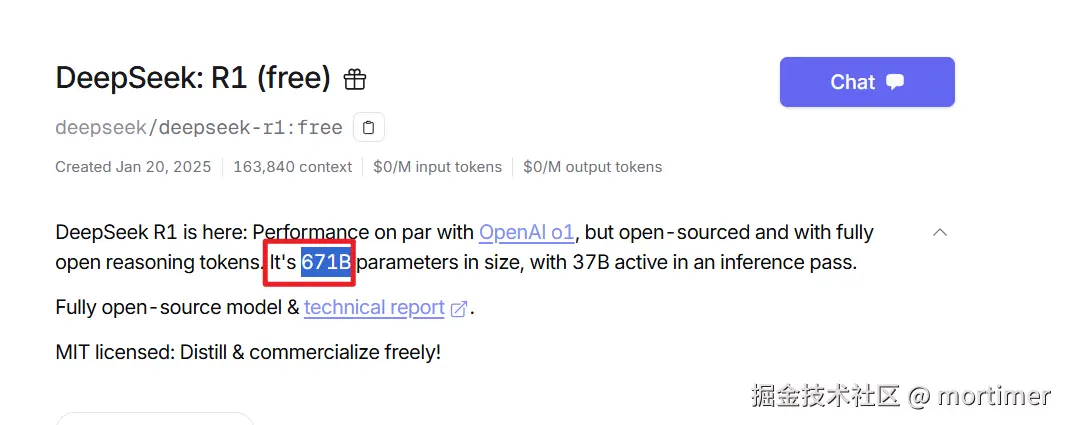
This is a full-featured DeepSeek-R1 reasoning model, completely free to call!
6. Example: Using OpenRouter.ai in pyVideoTrans
Using the video translation software pyVideoTrans as an example, here's how to use OpenRouter.ai in a practical application:
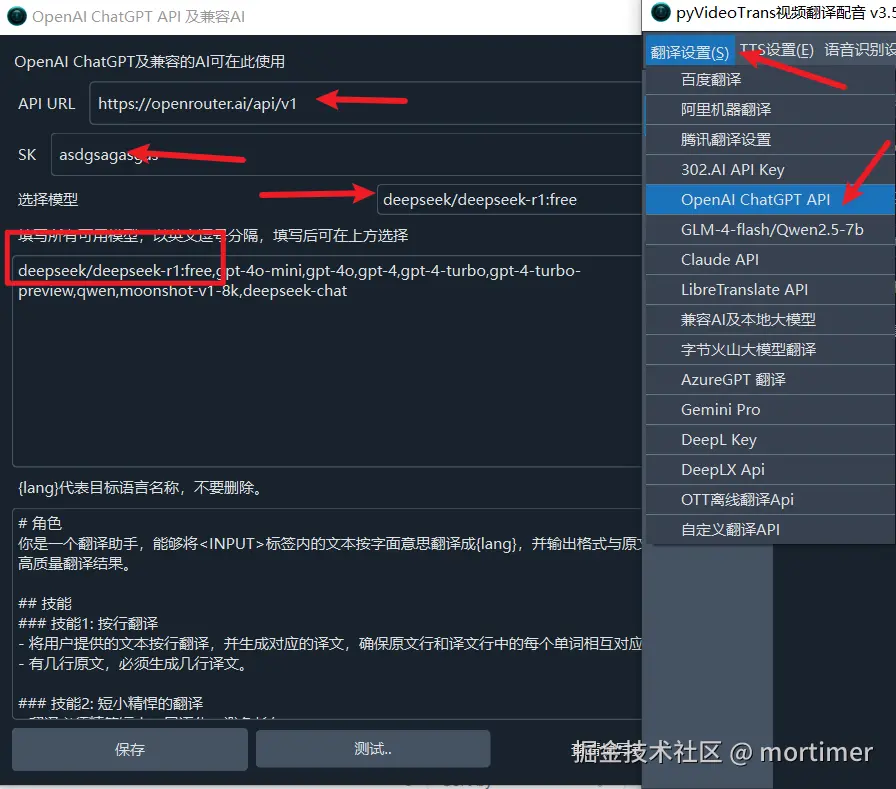
- Open the software, go to "Menu" -> "OpenAI ChatGPT API".
- In "API URL", enter:
https://openrouter.ai/api/v1 - In "SK", enter your OpenRouter.ai API key.
- In "Fill in all available models", paste the model name you copied.
- Click "Save".