
Previously, using edge-tts for voiceover was very smooth and almost never encountered issues. Unfortunately, since the end of last year, it has started frequently reporting 403 errors. Initially, this only happened in China, and using a foreign IP could barely solve it. But now, this error occurs globally. It seems even a giant company like Microsoft can't withstand everyone's crazy "fleece-the-wool" behavior.
If you still want to use edge-tts now, you need to be cautious. It's best to use it sparingly, especially avoid frequent operations from the same IP. Otherwise, Microsoft's server will directly return a 403 error. For easier understanding, the software will prompt a "rate limit error." Here are two solutions:
- You can try deploying the interface to Cloudflare, utilizing its dynamic characteristics to reduce the occurrence of 403 errors. For specific methods, please refer to the documentation: https://pvt9.com/edgettscf
- Or continue using it locally, but you must pair it with a dynamic proxy, meaning changing the IP for each request. For specific operations, you can check this article: https://pvt9.com/edgetts-proxy
Using Local Voiceover Models
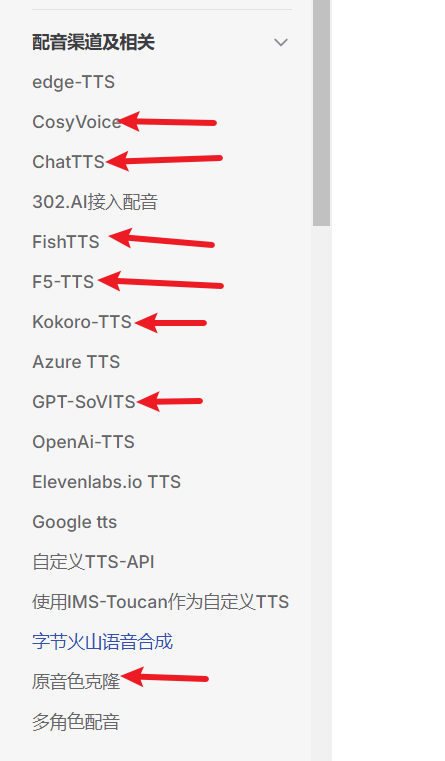
Besides edge-tts, you can also use some open-source local voiceover models, such as GPT-SoVITS, ChatTTS-ui, Fish-TTS, F5-TTS, CosyVoice, Clone-voice, KokoroTTS, and so on. These are all free and can be deployed on your own computer. However, this requires spending some extra time on configuration and also demands certain computer hardware and hands-on skills.
If you want to give it a try, you can refer to this tutorial: https://pvt9.com/gptsovits. There are more explanations in the left sidebar of the page.
Using Online Voiceover APIs as Alternatives
If your hardware is not powerful enough, or you don't want to bother with local deployment, you can choose online voiceover APIs, such as OpenAI TTS, Azure TTS, ByteDance Volcano Voice Synthesis, etc.
However, using OpenAI TTS or Azure TTS directly in China requires bypassing the firewall. The free quota is very limited, and paying requires a foreign phone number and credit card, which is quite troublesome. It is recommended to use OpenAI TTS relay services or Azure TTS relay services that are directly accessible in China, which is much more convenient.
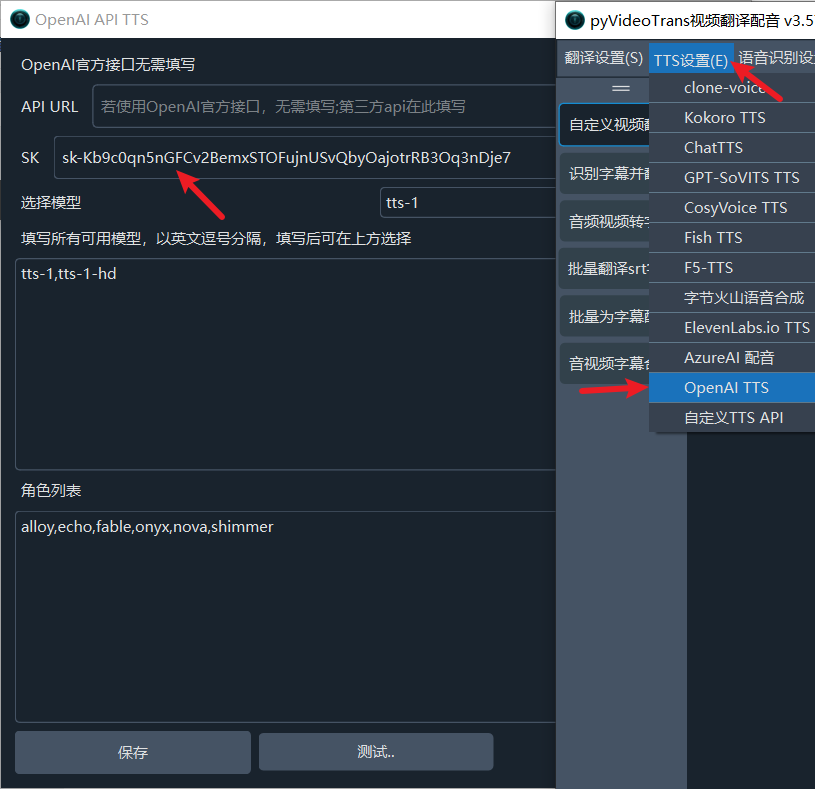
If using the official OpenAI TTS, you only need to open Menu -> TTS Settings -> OpenAI TTS API in the software and enter your SK into the SK text box. No additional settings are needed. But don't forget, you need to bypass the firewall to use it in China.
The following steps explain how to use third-party relayed OpenAI TTS voiceover, Azure TTS voiceover, and ByteDance Voice Synthesis.
Using 302.AI or Other Third-Party OpenAI TTS Voiceover Relay APIs
Registration and login address (with $1 credit): https://share.302.ai/pyvideo
The operation steps are very simple:
- In the software's Menu -> TTS Settings -> OpenAI TTS API, set the API URL to
https://api.302.ai/v1. If using another provider's relay API, fill in the address they provide, usually ending with/v1. - In the SK text box, enter the API Key you created on 302.AI. If using another third-party service, enter the Key they provide.
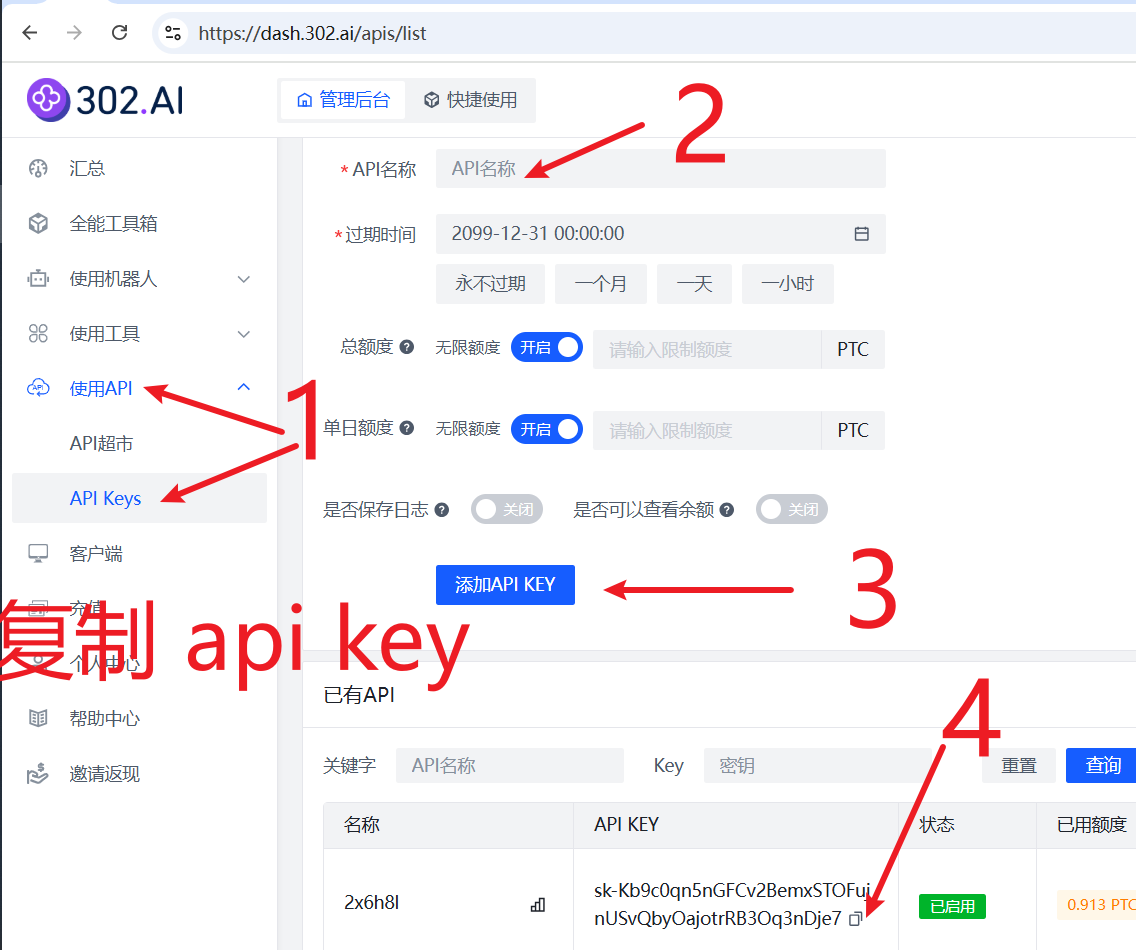
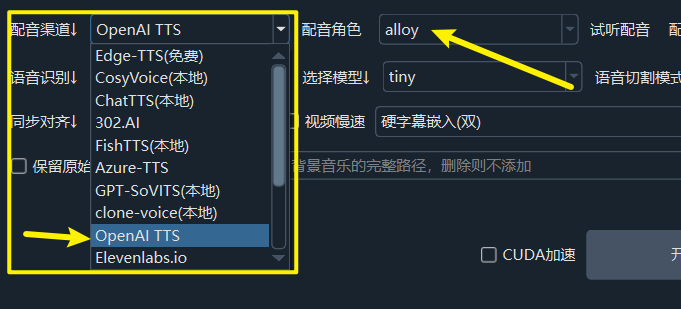
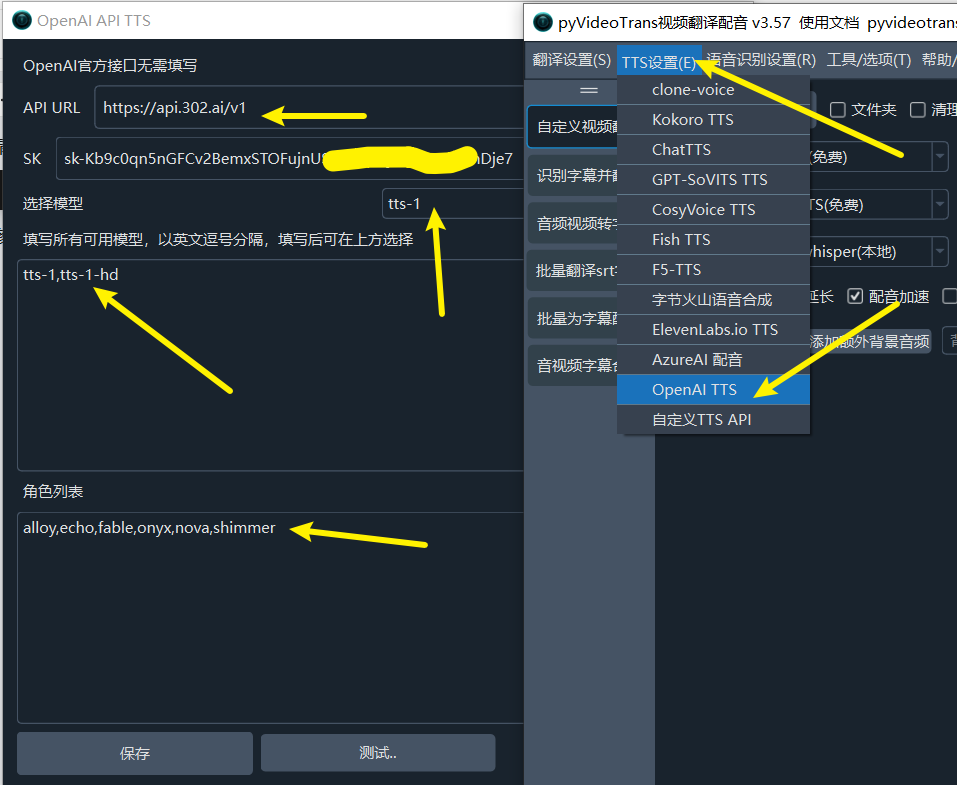 Test it. If the voiceover audio can be played automatically, the setup is successful. After that, select OpenAI TTS in the voiceover channel on the software's main interface to use it. Supported voices are:
 alloy, ash, coral, echo, fable, onyx, nova, sage, shimmer.
Using 302.AI's Relayed Azure TTS
Registration and login address (with $1 credit): https://share.302.ai/pyvideo
OpenAI TTS only has 9 voice styles, and the Chinese pronunciation is a bit "tongue-tied." If you find it insufficient, you can try Azure TTS. This is Microsoft's product, offering more voice styles and better effects than edge-tts. However, direct use in China requires a foreign credit card, which is inconvenient. You can use the relay API provided by 302.AI.
Operation method:
- Create a Key on 302.AI.
- Open the software's Menu -> Translation Settings -> 302.AI and enter the Key. Note: This time, fill it in under the "302.AI" option within the "Translation Settings" menu.
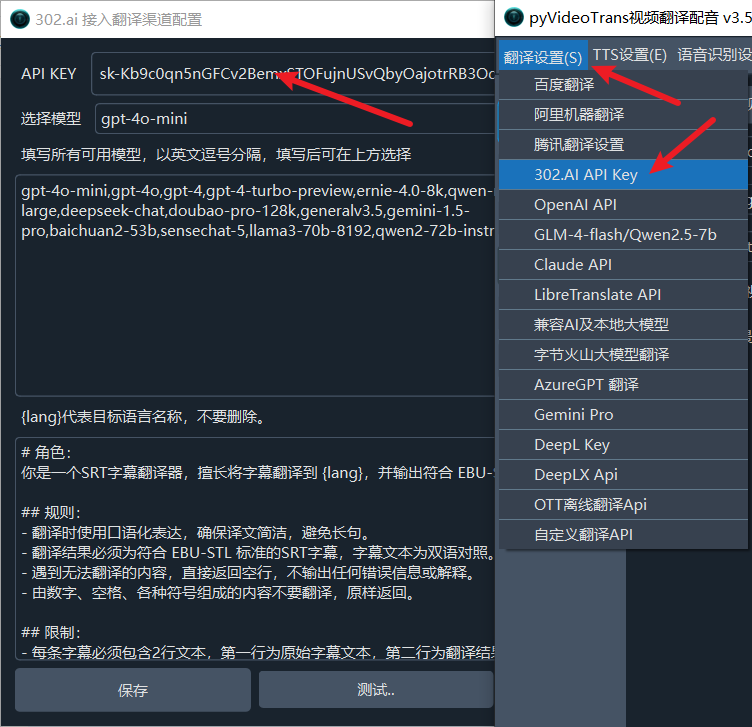 After filling it in, you can use all voiceover roles of Azure TTS. Moreover, 302.AI also relays ByteDance Voice Synthesis, so ByteDance's voice styles can be used directly as well.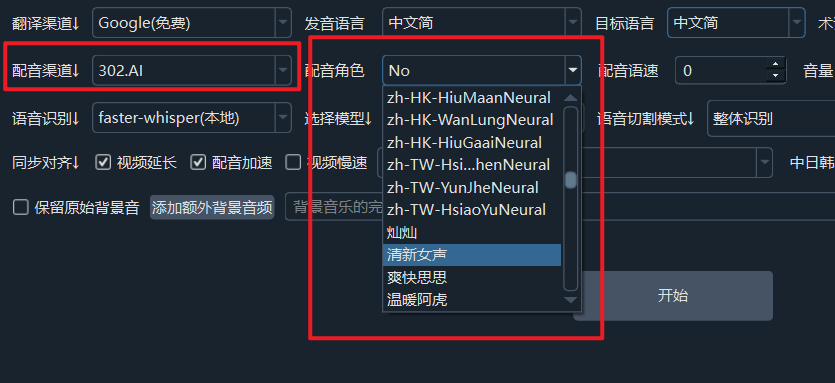
Using ByteDance Voice Synthesis Separately
There is already a detailed tutorial for ByteDance Voice Synthesis. You can check it out: https://pvt9.com/volcenginetts.
However, note that by default, only the generic male and generic female voices are available. If you want other voice styles, you need to purchase them separately on ByteDance's official website, charged monthly. If you only use it occasionally, it's not cost-effective. It is recommended to directly use the aforementioned 302.AI, which allows direct use of various ByteDance voice styles, making it more convenient.