
Already using AI for video translation and want to take it to the next level? Want higher translation quality at a lower cost? Then it's time to learn about China's top-tier AI large models!
Deepseek V3/R1, Qwen2.5 — these domestic AI models excel at translation and offer better pricing advantages compared to foreign large models. Even better, we can easily access them through two "large model marketplaces" — Alibaba Bailian and SiliconFlow — using a single API Key and seamlessly integrate them into video translation software.
This article will guide you step-by-step on how to leverage domestic AI large models to enhance the quality and efficiency of your video translations!
1. Alibaba Bailian: A Vast Selection of Models, One for Every Need!
Alibaba Bailian is like an AI model supermarket, gathering many excellent models including the Alibaba Tongyi Qianwen series. Its biggest advantages are low cost and stable operation.
Log in to the Alibaba Bailian Platform: Visit https://bailian.console.aliyun.com and log in.
Browse Models and Copy the Name: In the model list, you can see various available AI models along with their pricing information. Currently, the
qwen-max-latestandqwen2.5-72b-instructmodels perform well for translation.
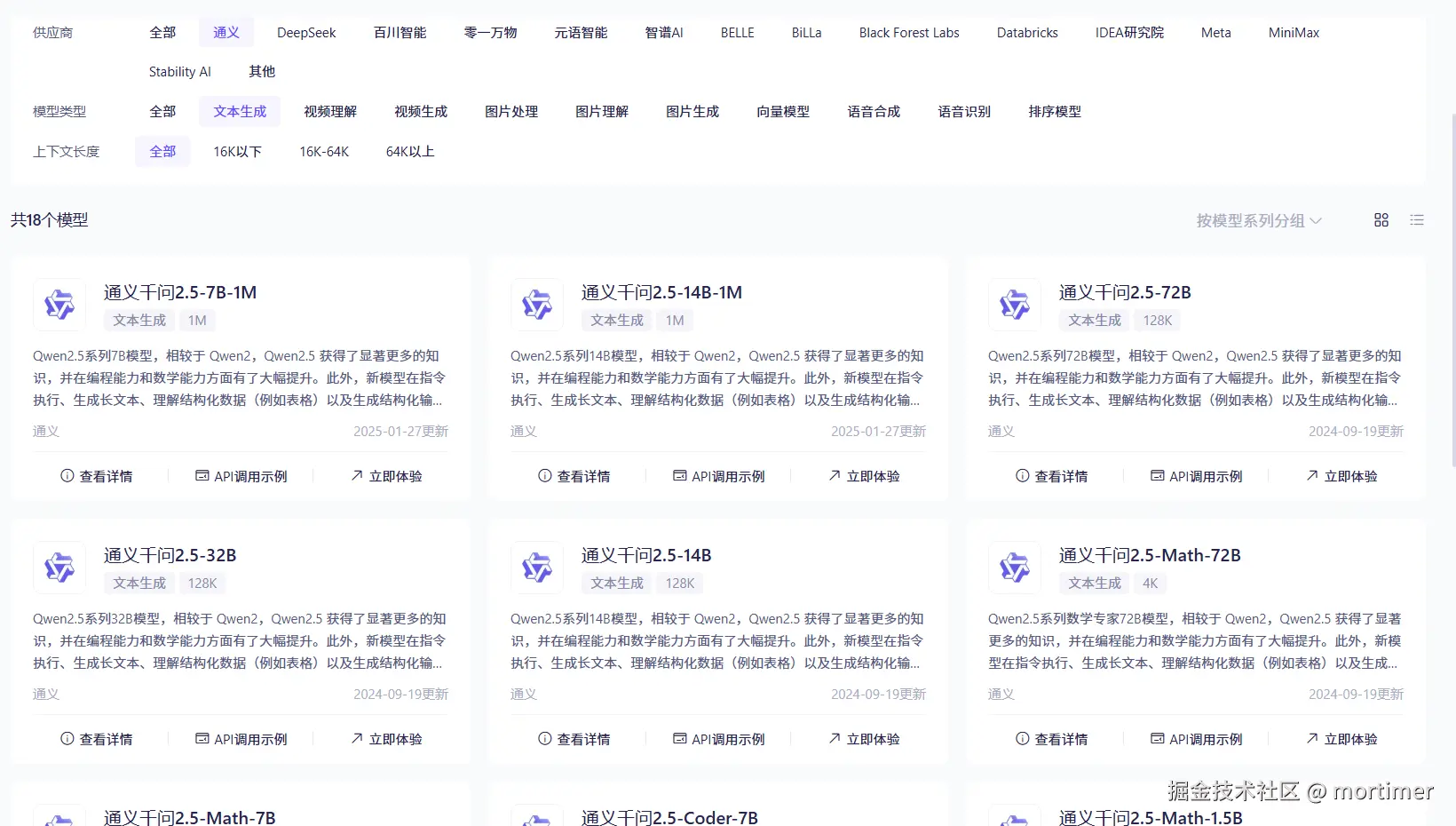
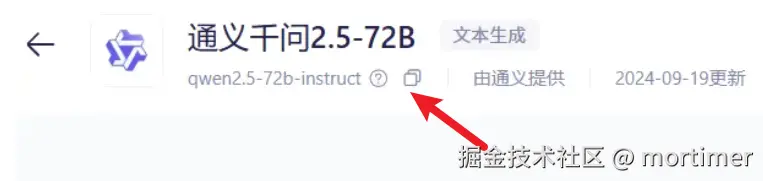
Click "View Details" for the model you're interested in, find and copy its Model Name.
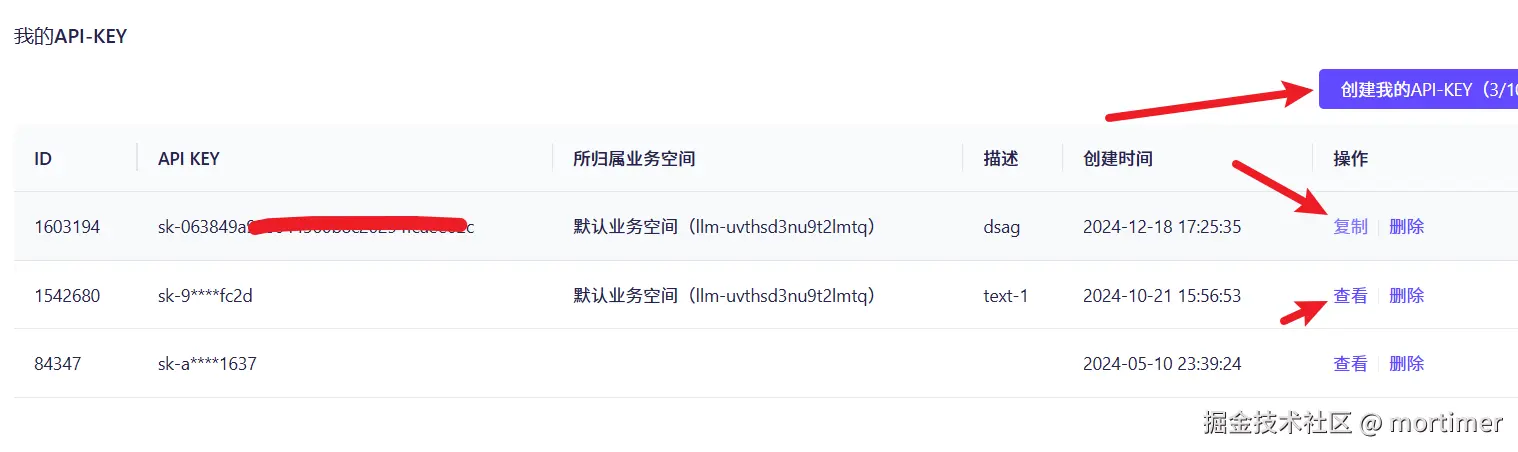
- Create and Copy an API Key: Visit the API Key management page at https://bailian.console.aliyun.com/?apiKey=1#/api-key and create a new API Key. Copy this Key for later use.
Configure Your Video Translation Software: Go back to your video translation software, find the Translation Settings --> OpenAI ChatGPT API settings page in the menu, and make the following changes:
- API URL: Enter
https://dashscope.aliyuncs.com/compatible-mode/v1 - SK: Paste the API Key you just copied from Alibaba Bailian.
- Fill in All Available Models: Enter the model name(s) you copied from Alibaba Bailian.
- Select Model: Choose the model name you want to use from the dropdown menu.
- API URL: Enter
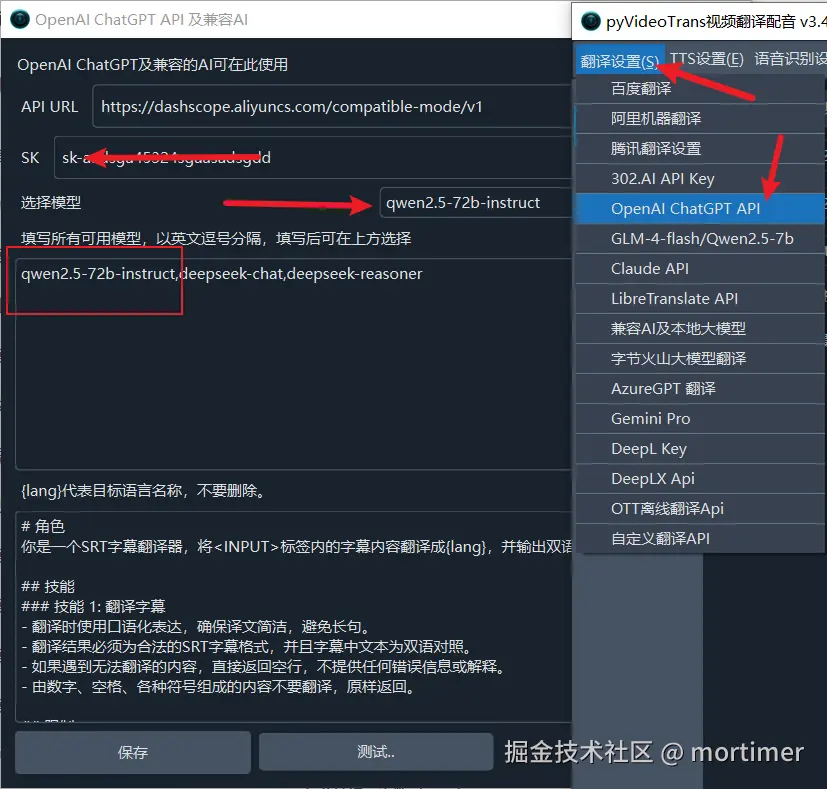
- Save and Test: Click "Save", then test the translation function to see if everything works correctly.
2. Explore SiliconFlow: Another Treasure Trove of Large Models
SiliconFlow is similar to Alibaba Bailian, also a large model marketplace offering multiple choices.
Log in to the SiliconFlow Platform:
Visit https://cloud.siliconflow.cn/models and log in.
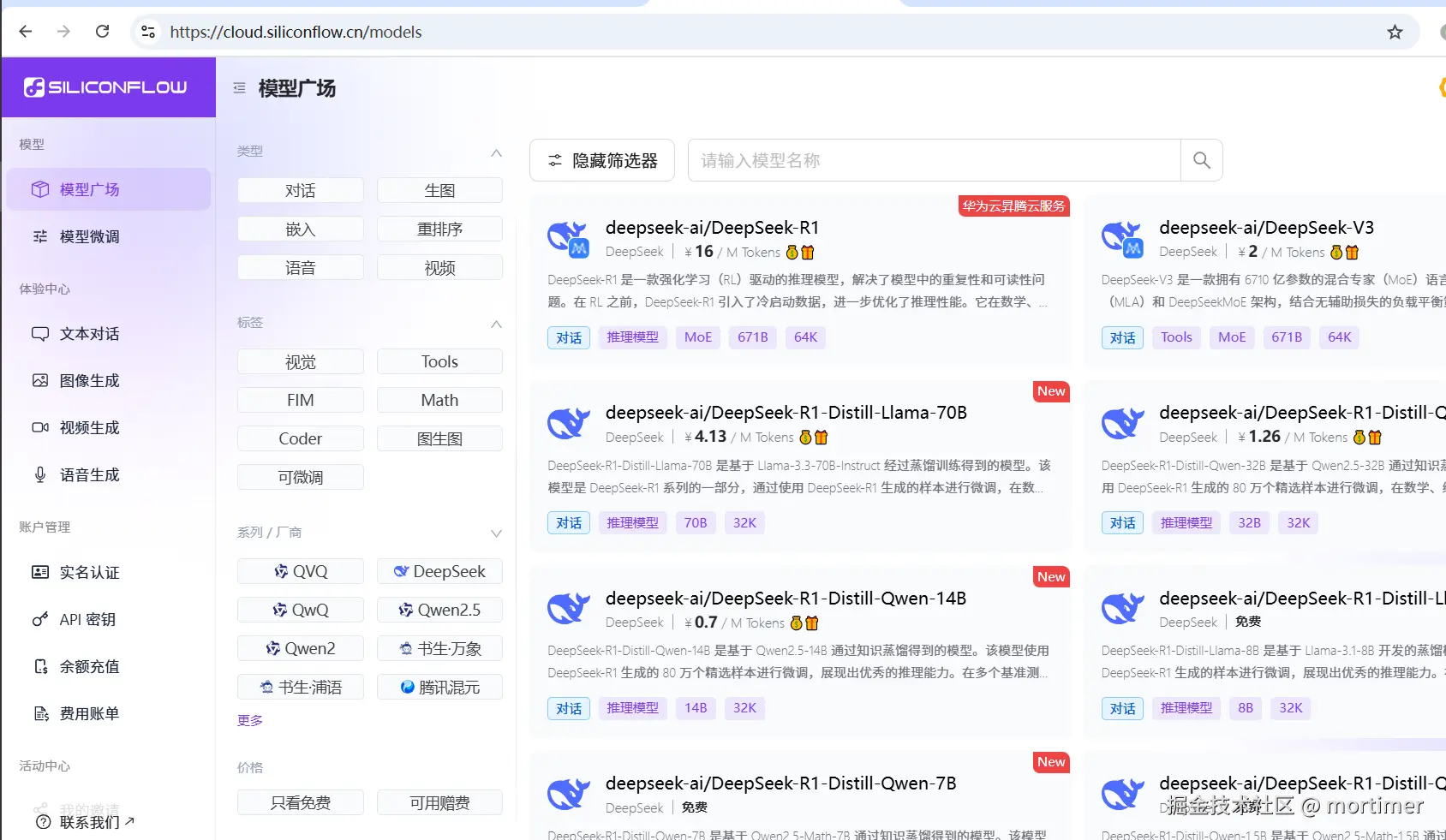
The `Qwen2.5-72b` model is recommended here. It offers a great balance between stability and price, with excellent translation performance.
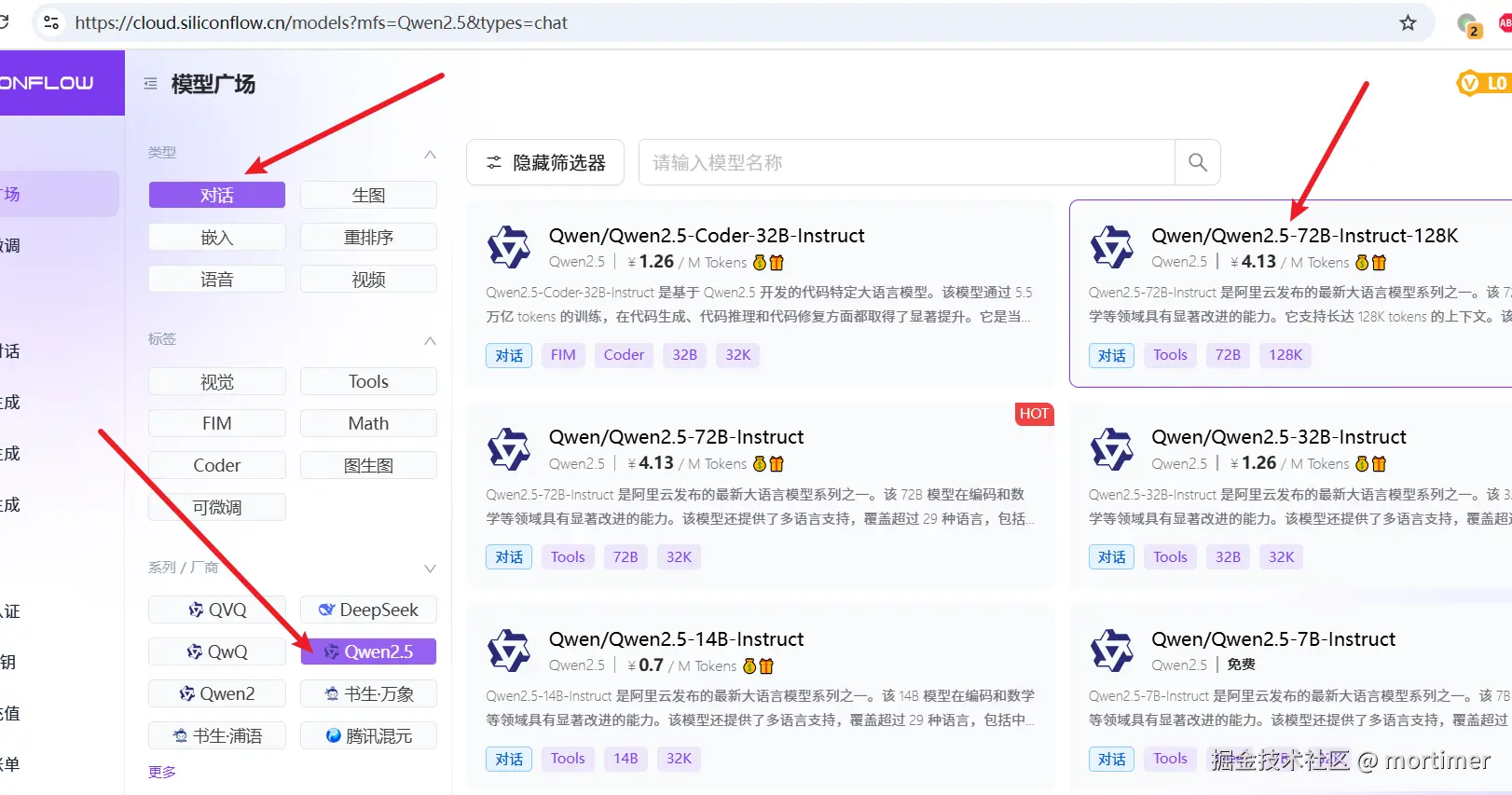
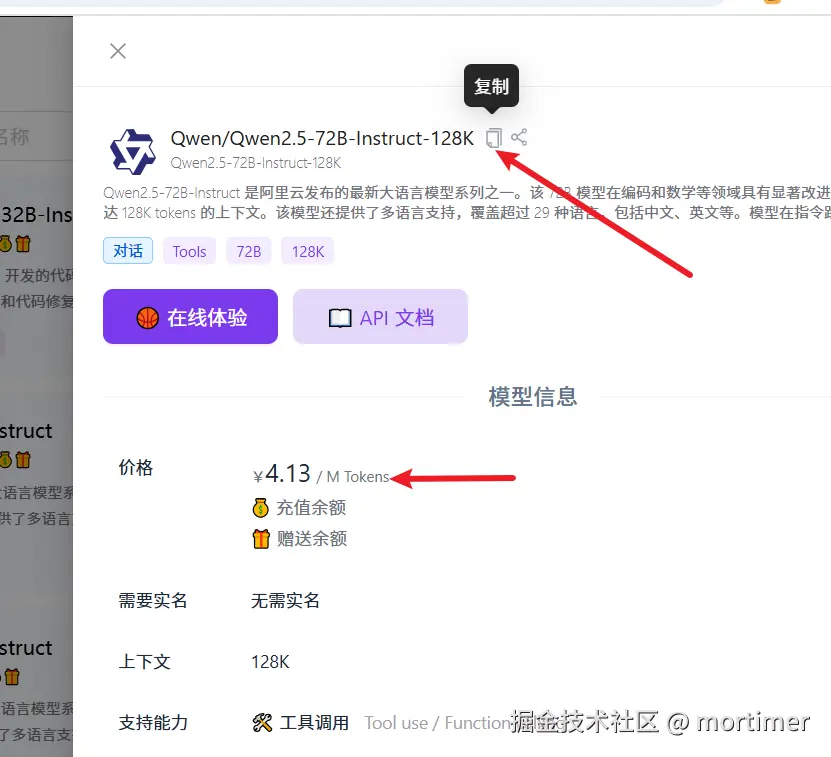
Click the model name, and in the pop-up details page, copy the Model Name.
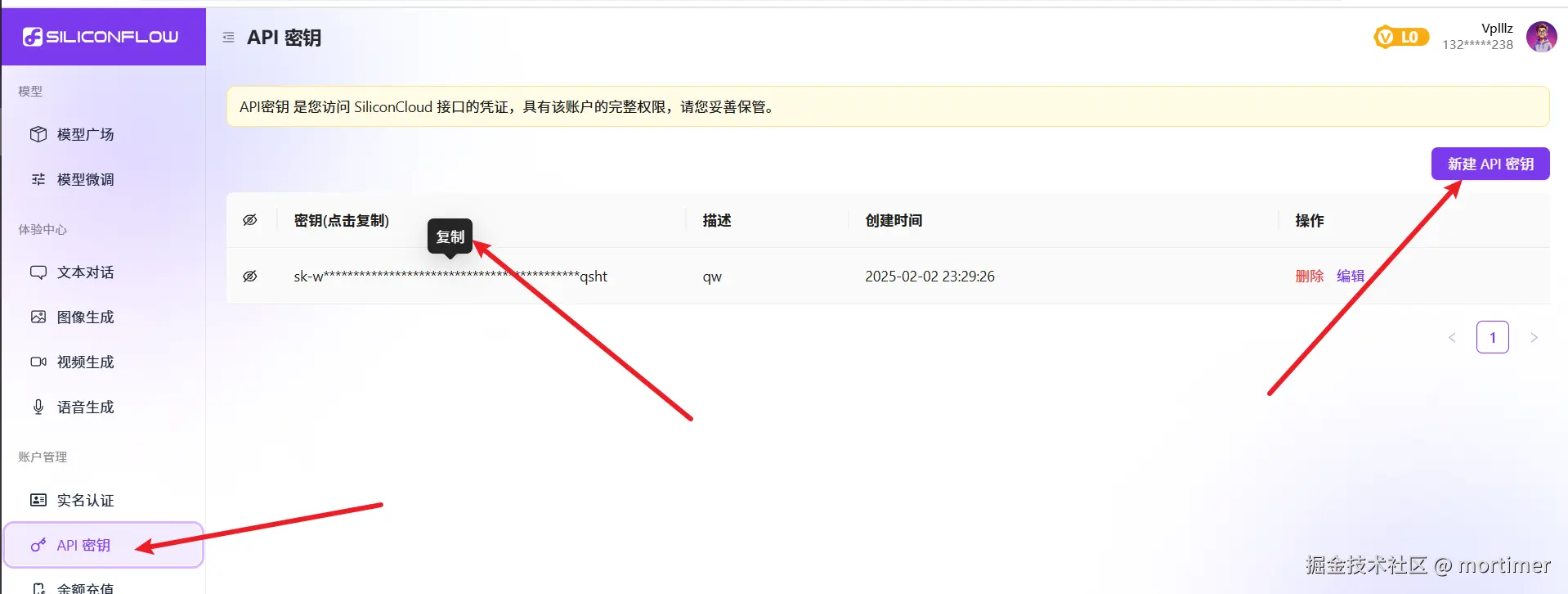
- Create and Copy an API Key:
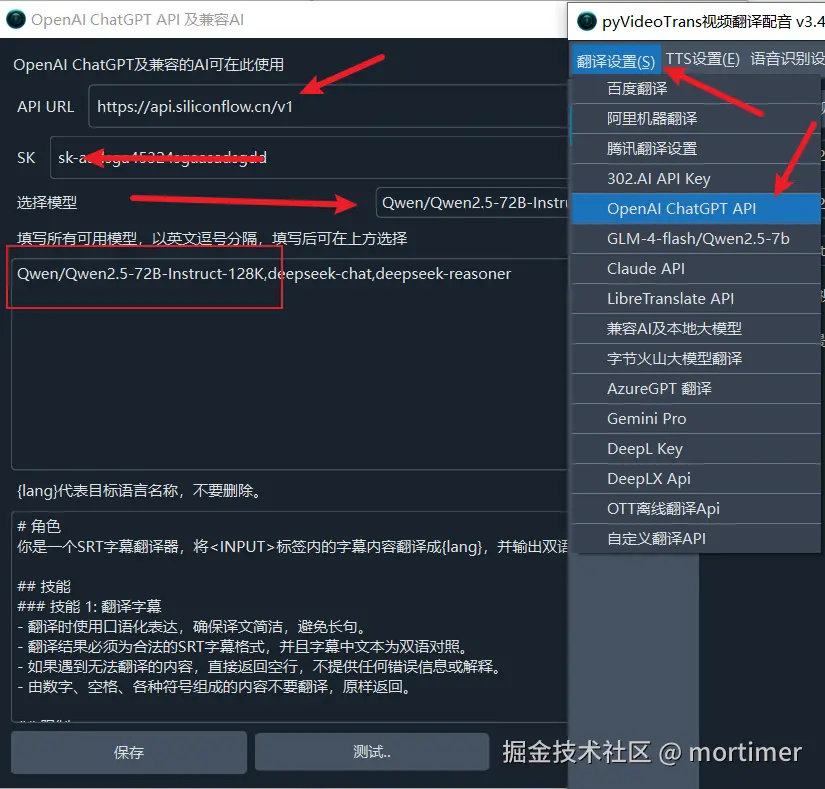
Configure Your Video Translation Software: Similarly, go back to your video translation software, find the Translation Settings --> OpenAI ChatGPT API settings page:
- API URL: Enter
https://api.siliconflow.cn/v1 - SK: Paste the API Key you copied from SiliconFlow.
- Fill in All Available Models: Enter the model name you copied. If you want to use multiple models, separate them with English commas.
- Select Model: Choose the model name you want to use from the dropdown menu.
- API URL: Enter
Save and Test:
3. Direct Connection to Deepseek Official Channel (Recently Unstable, Temporarily Unavailable)
If you want to experience the authentic Deepseek models, you can try the official channel:
Register and Obtain an API Key: First, go to the Deepseek Open Platform at https://platform.deepseek.com.
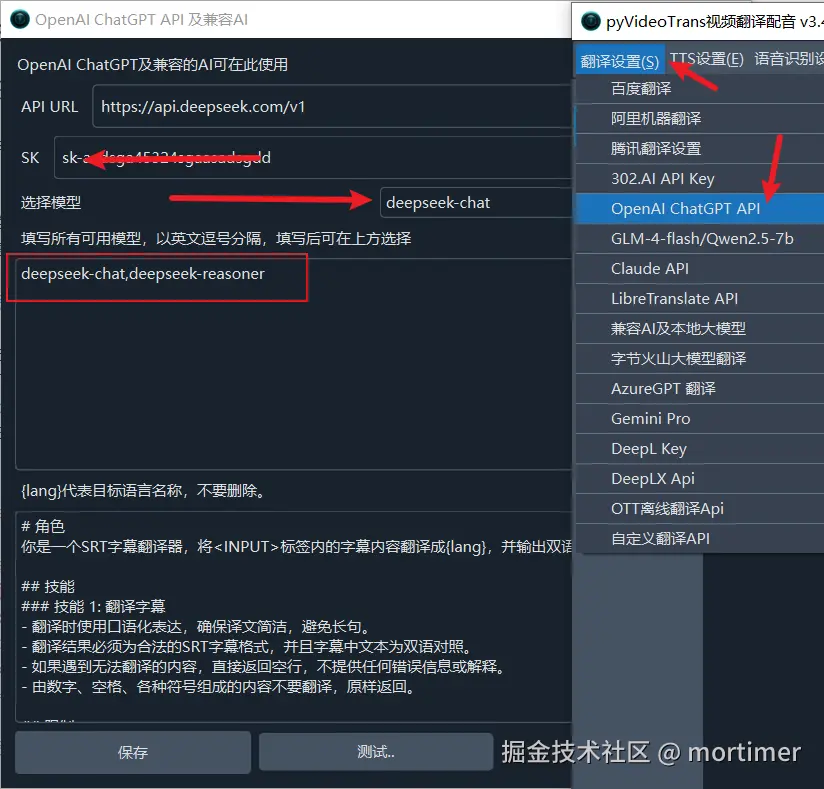
Configure Your Video Translation Software: Open your video translation software, find Translation Settings --> OpenAI ChatGPT API in the menu. We can make slight modifications to use Deepseek:
- API URL: In the "API URL" text box, enter
https://api.deepseek.com/v1. - SK: In the "SK" text box, paste the API Key you created on the Deepseek platform.
- API URL: In the "API URL" text box, enter
Select Model:
- In the
Fill in All Available Modelstext box, enterdeepseek-chat,deepseek-reasoner. - In the
Select Modeldropdown, choose the model you want to use, e.g.,deepseek-chat.
Tip:
deepseek-chatis the V3 model, suitable for everyday translation.deepseek-reasoneris the R1 model, better at logical reasoning but may be slightly slower.Click "Save", and you're done!
- In the
4. Choose Your Translation Engine
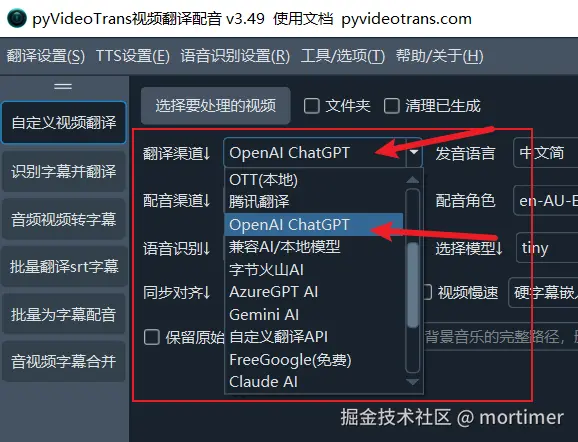
After configuration, select OpenAI ChatGPT in the Translation Channel option of your video translation software to start using it!
Summary:
- Alibaba Bailian: Low cost, many models have free quotas (including Deepseek V3 and R1). High stability. Highly recommended!
- API URL:
https://dashscope.aliyuncs.com/compatible-mode/v1
- API URL:
- SiliconFlow: Another great option with a rich selection of models.
- API URL:
https://api.siliconflow.cn/v1
- API URL:
- Deepseek Official Channel: It's recommended to use the
deepseek-chatmodel for good translation results. However, note that the Deepseek API platform has been unstable recently and may be temporarily unavailable.- API URL:
https://api.deepseek.com/v1
- API URL:
Start experimenting now! Use higher-quality, more cost-effective domestic AI large models to unlock new possibilities for your video translations!