
Xiaomi MiMo AI — Translation and Dubbing Channel
Xiaomi MiMo AI is an AI platform launched by Xiaomi. pyVideoTrans has integrated its translation and TTS dubbing features since v3.98-327.
What Is This?
- Translation channel: Uses Xiaomi's large language model to translate subtitles into the target language
- Dubbing channel: Uses Xiaomi TTS to generate dubbed audio (currently supports Chinese and English)
Prerequisites
- A Xiaomi MiMo AI platform account
- An API Key created from the platform console
Configuration Steps
Step 1: Obtain an API Key
- Visit the Xiaomi MiMo Platform Console
- Log in or register a Xiaomi account
- Create an API Key and copy it
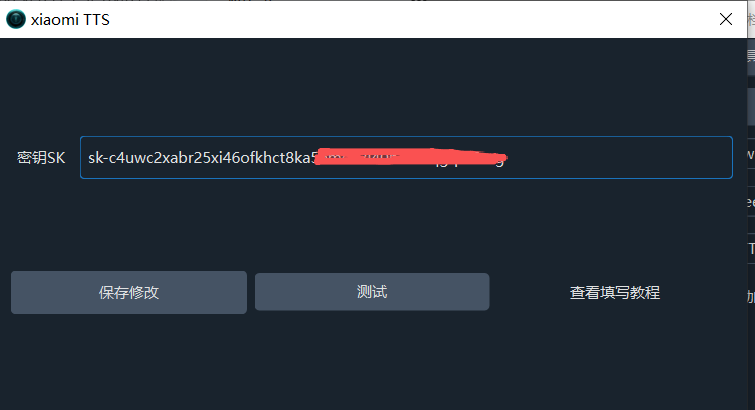
Step 2: Enter in pyVideoTrans
- Go to Menu → Translation Settings → Xiaomi AI
- Paste the API Key into the corresponding input box
- Click Test to verify
- After a successful test, click Save
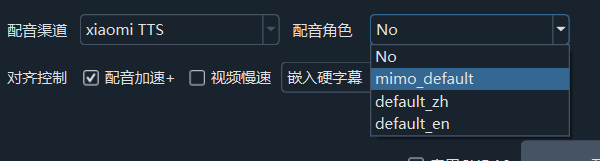
Step 3: Use
- Select Xiaomi AI from the Translation Channel dropdown on the main screen
- Select Xiaomi TTS from the Dubbing Channel dropdown
- Choose your target language and you're ready to go
Available Voices
The full list of Xiaomi TTS voices is available at: https://platform.xiaomimimo.com/docs/zh-CN/usage-guide/speech-synthesis-v2.5
Troubleshooting
| Problem | Solution |
|---|---|
| API Key error | Check that the key was copied completely, with no extra spaces |
| Test button returns error | Verify network connection and ensure the API Key is valid |
| TTS produces no sound | Currently only Chinese and English are supported — check the target language |
| Insufficient balance | Recharge at the Xiaomi Model Console |
After Xiaomi's free trial period ends, you'll need to recharge via the platform console to continue using the service.