
Repunctuating Recognition Results
To enhance the naturalness and accuracy of subtitle sentence breaks, pyVideoTrans has introduced two repunctuation features starting from version v3.69: the AI-based LLM Repunctuation and the punctuation-based Local Repunctuation, designed to optimize the subtitle processing experience.
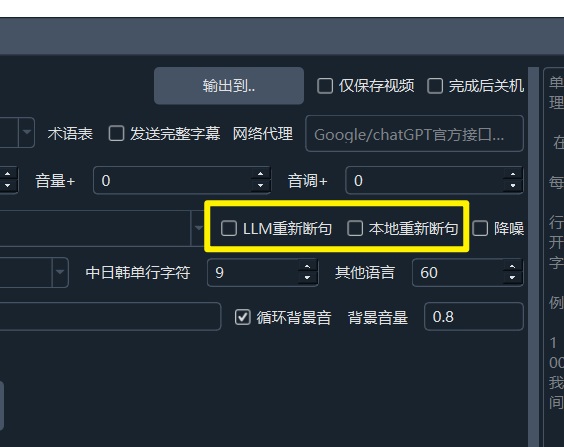
1. Using LLM Models to Repunctuate Speech Recognition Results
How it works:
When you use faster-whisper (local), openai-whisper (local), or parakeet-tdt for speech recognition and enable the LLM Repunctuation feature:
- pyVideoTrans sends the recognized
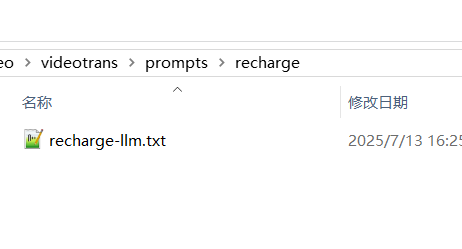
characters/wordscontaining word-level timestamps to your configured LLM for repunctuation. - The LLM performs intelligent sentence segmentation based on the instructions in the prompt file
/videotrans/prompts/recharge/recharge-llm.txt.
- After repunctuation, the results are reorganized into the standard SRT subtitle format for subsequent translation or direct use.
- If LLM repunctuation fails, the software will automatically fall back to using the sentence breaks provided by
faster-whisper/openai-whisper/parakeet-tdtthemselves.
Detailed Control
To successfully enable and use this feature, ensure the following conditions are met:
Select Audio Segmentation Mode: Must be set to
Whole Recognition.
Configure LLM API: In Menu -> Translation Settings -> OpenAI API & Compatible AI or DeepSeek, correctly fill in your API Key (SK), select the model name, and set other relevant parameters.
By default,
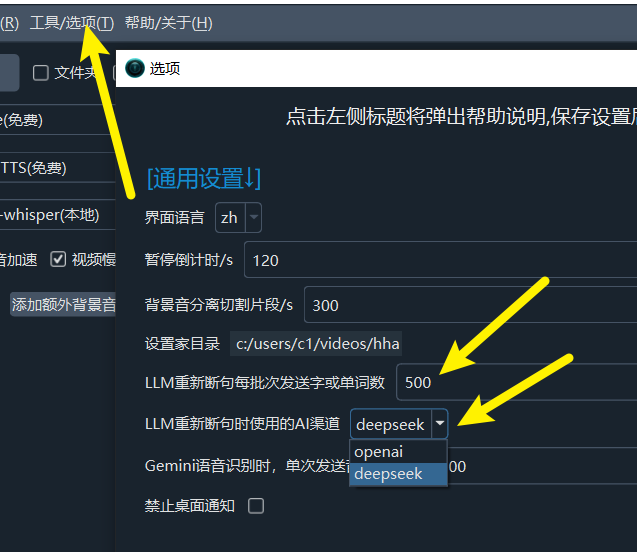
OpenAI APIis used for repunctuation. You can switch it toDeepSeekinMenu -> Tools -> Advanced Options -> AI Channel for LLM Repunctuation.Adjust the value in
Tools -> Options -> Advanced Options -> Number of Characters/Words Sent per Batch for LLM Repunctuation. The default is 500 characters or words per request. A larger value generally yields better repunctuation results, but if the output exceeds the maximum allowed output tokens for the model used, it will cause an error. Increasing this value also requires adjusting the Maximum Output Tokens mentioned next accordingly.
2. Using Local Repunctuation
If you prefer not to use LLM repunctuation, you can choose Local Repunctuation. This method repunctuates the recognized characters/words based on punctuation marks. The effectiveness will be poor if punctuation is severely lacking.
This also applies only to the three speech recognition channels: faster-whisper, openai-whisper, and parakeet-tdt.