
Download Link 1: Download from Baidu Netdisk
Download Link 2: Download from HuggingFace.co
NVIDIA Parakeet Speech Transcription Package User Guide
This package integrates two NVIDIA open-source speech recognition models: parakeet-ctc-1.1b (English) and parakeet-tdt_ctc-0.6b-ja (Japanese), designed to transcribe audio/video files into SRT format subtitles.
Currently, there are limited high-quality open-source Japanese speech recognition models available. NVIDIA's parakeet-tdt_ctc-0.6b-ja provides a reliable option for transcribing Japanese content.
The key feature of this tool is that it runs entirely on your local computer. No environment setup is required; simply download, extract, and double-click to use.
Tool Features
- Local Transcription: Supports transcribing audio/video files in English and Japanese into text.
- Generate SRT Subtitles: Transcription results can directly generate SRT subtitle files with timestamps.
Usage Steps
Step 1: Download and Launch the Program
Download the package and extract it. In the extracted folder, you will find the following file structure.
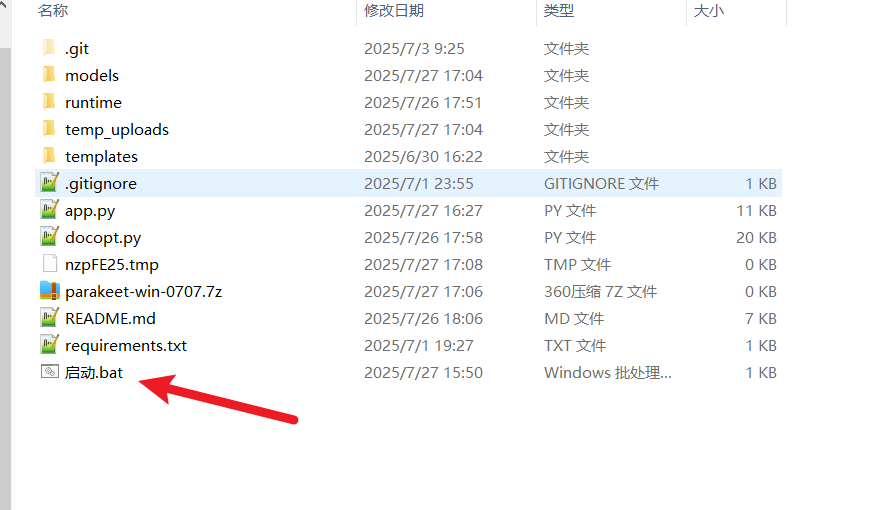
To run the program, double-click the file named 启动.bat (Launch.bat).
Step 2: Wait for Model Download
On the first run, the program will automatically download the required speech recognition models. A black command-line window will appear, showing the download progress bar.
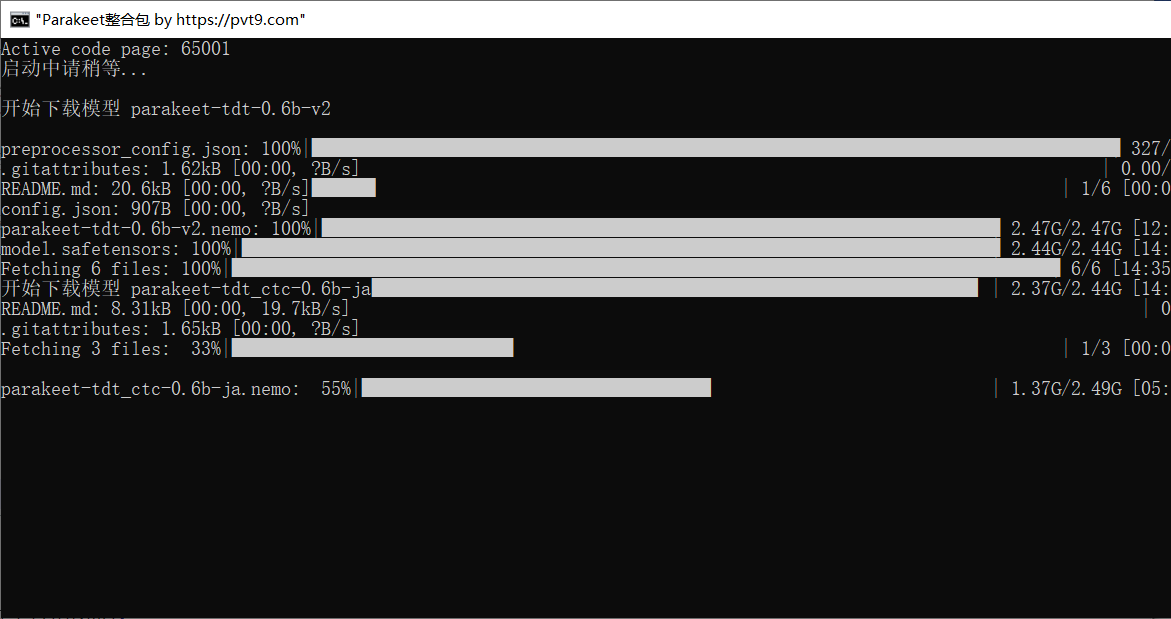
The model files are large. The download requires an internet connection and may take some time, depending on your network speed. Once the download is complete, the program will automatically open the operation interface in your default web browser.
Step 3: Upload File and Perform Transcription
After the program successfully launches, your browser will display the following interface.
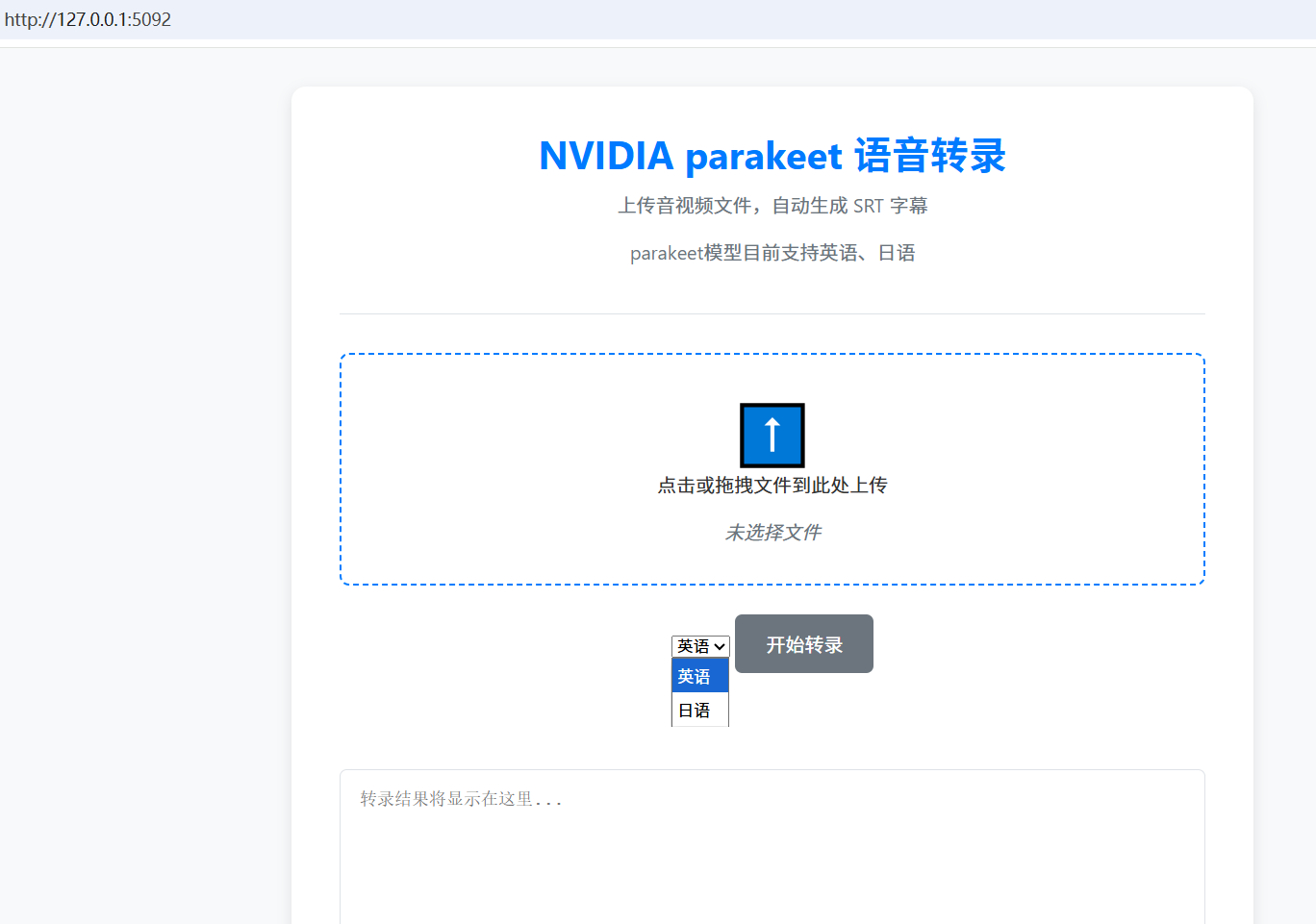
The operation process is as follows:
- Select File: Click on the dashed box area, or drag and drop your audio/video file directly into it.
- Select Language: From the dropdown menu, select "English" or "Japanese" based on the source file's language.
- Start Transcription: Click the "Start Transcription" button.
Once the task is processed, the generated SRT subtitle content will be displayed in the text box below and will be available for download.
API Usage Instructions
For users with development needs, this package provides a local interface compatible with the OpenAI Speech to Text API. You can call the transcription function programmatically.
Python Call Example:
from openai import OpenAI

client = OpenAI(
    base_url="http://127.0.0.1:5092/v1",
    api_key="any-key", # api_key can be any string
)

# Read a local audio file
with open("your_audio.mp3", "rb") as audio_file:
    # Request transcription
    srt_result = client.audio.transcriptions.create(
        model="parakeet", # The model name is fixed as 'parakeet'
        file=audio_file,
		prompt="en", # Specify language: 'en' for English, 'ja' for Japanese
        response_format="srt" # Specify SRT format for the response
    )
print(srt_result)```

### **Summary**

This toolkit provides a localized solution for English and Japanese speech transcription. By following the steps above, users can complete the conversion of audio/video to subtitles on their own computers.