Skip to content

VoxCPM-2.0 Supports Over 30 Languages

Since version v3.98-0408, VoxCPM-2.0 is supported. Select the v2 version in Menu--TTS Settings--F5-TTS--voxcpm.

VoxCPM2 is a text-to-speech model – 2 billion parameters, 30 languages, 48kHz audio output.

Supports over 30 languages: Arabic, Burmese, Chinese, Danish, Dutch, English, Finnish, French, German, Greek, Hebrew, Hindi, Indonesian, Italian, Japanese, Khmer, Korean, Lao, Malay, Norwegian, Polish, Portuguese, Russian, Spanish, Swahili, Swedish, Tagalog, Thai, Turkish, Vietnamese Chinese dialects include: Sichuanese, Cantonese, Wu, Northeastern, Henan, Shaanxi, Shandong, Tianjin, Minnan

Open source and commercially usable – Licensed under Apache 2.0, free for commercial use.

Windows All-in-One Package Download

Baidu Netdisk download link: https://pan.baidu.com/s/1k18dHSSN_imfEeY85XGakw?pwd=1234

huggingface.co download: https://huggingface.co/mortimerme/repocollect/resolve/main/VoxCPM2.0--0411--win.7z?download=true

  • After extracting, double-click start.bat. The first launch will download the model online from https://modelscope.cn and https://hf-mirror.com.
  • Once complete, the service will start. A successful startup will display http://127.0.0.1:8808. Enter this address into Menu--TTS Settings--F5-TTS--voxcpm url.

Source Code Deployment

See the official repository at https://github.com/OpenBMB/VoxCPM.


VoxCPM-0.5B - A Small But Great Voice Cloning All-in-One Package

VoxCPM: A tokenizer-free TTS for context-aware speech generation and realistic voice cloning.

Download link: https://pan.baidu.com/s/1CvM_3E5YqE5s8zTHHvjSSw?pwd=hj7b

How to Use

  1. Download and extract the package.
  2. Double-click double-click to start.bat. On the first launch, it will download the SenseVoiceSmall model from modelscope.cn. This model is used to transcribe the reference audio into corresponding text.

  1. Once started successfully, the operation interface will automatically open in your browser. If it doesn't, manually visit http://127.0.0.1:7860 in your browser.

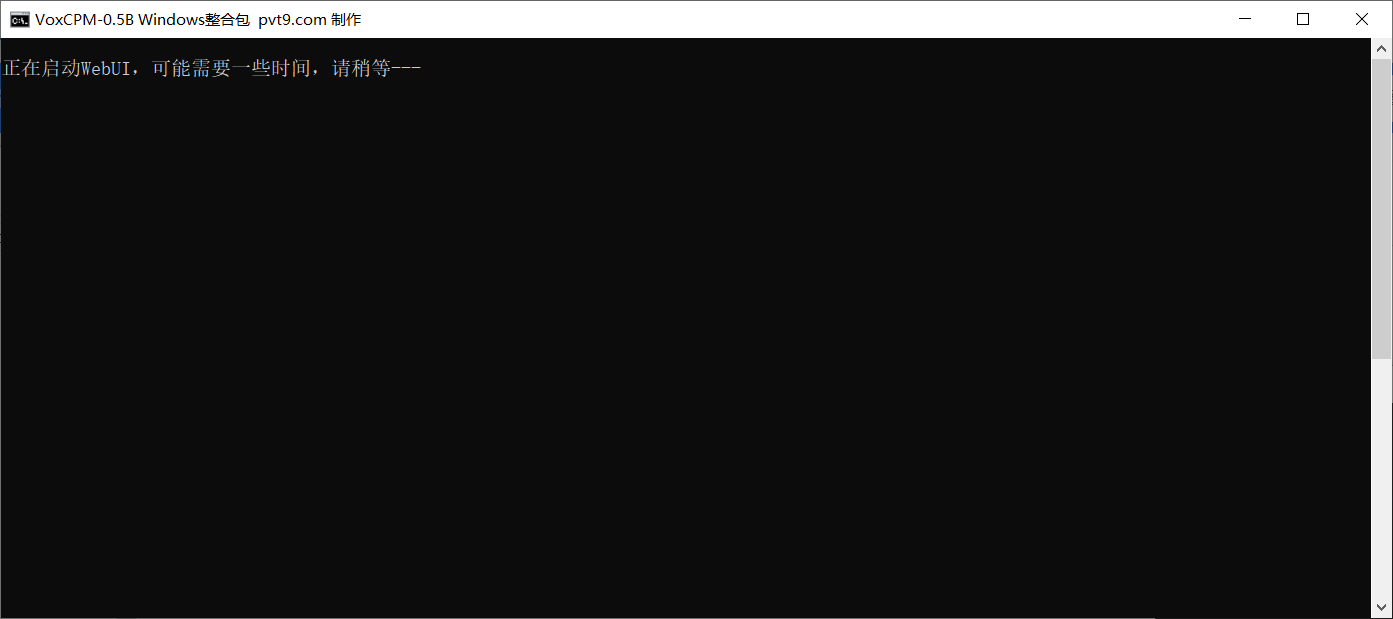
Startup interfaceStarting up

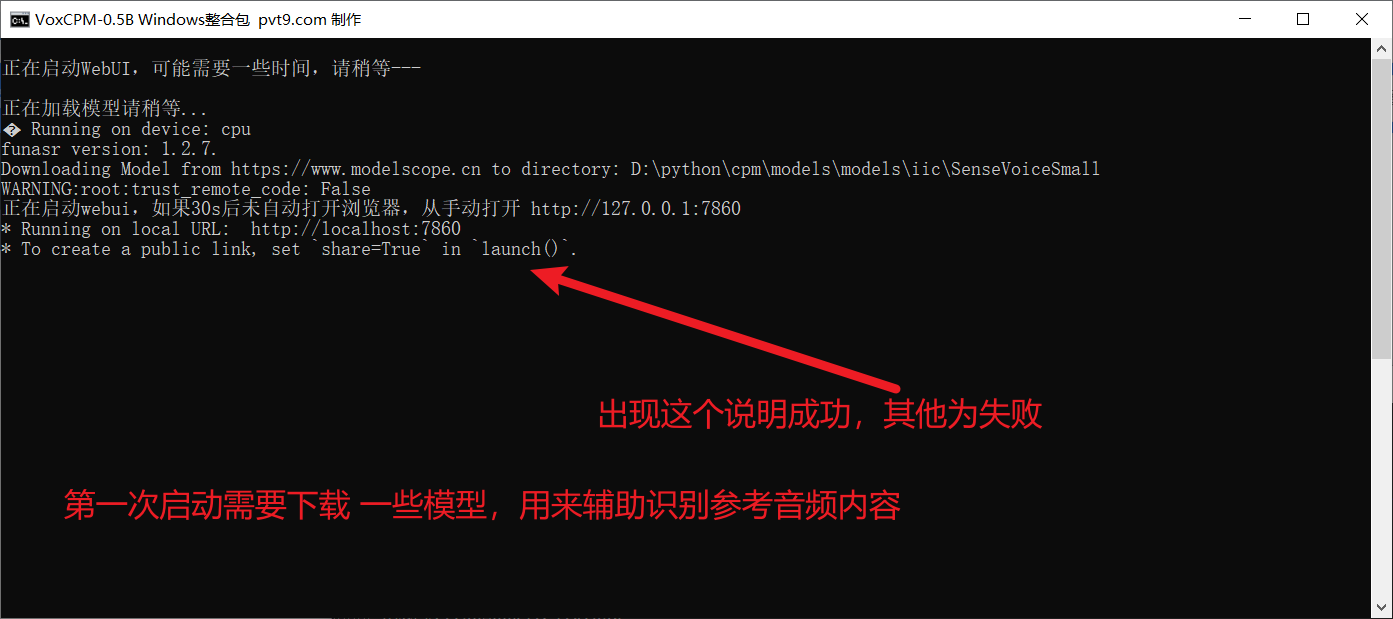
If the bottom of the final window looks like the image below, it means success.

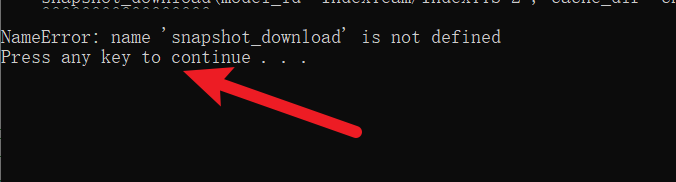
If you see Error: as shown below, it means failure. Close the window and reopen it.

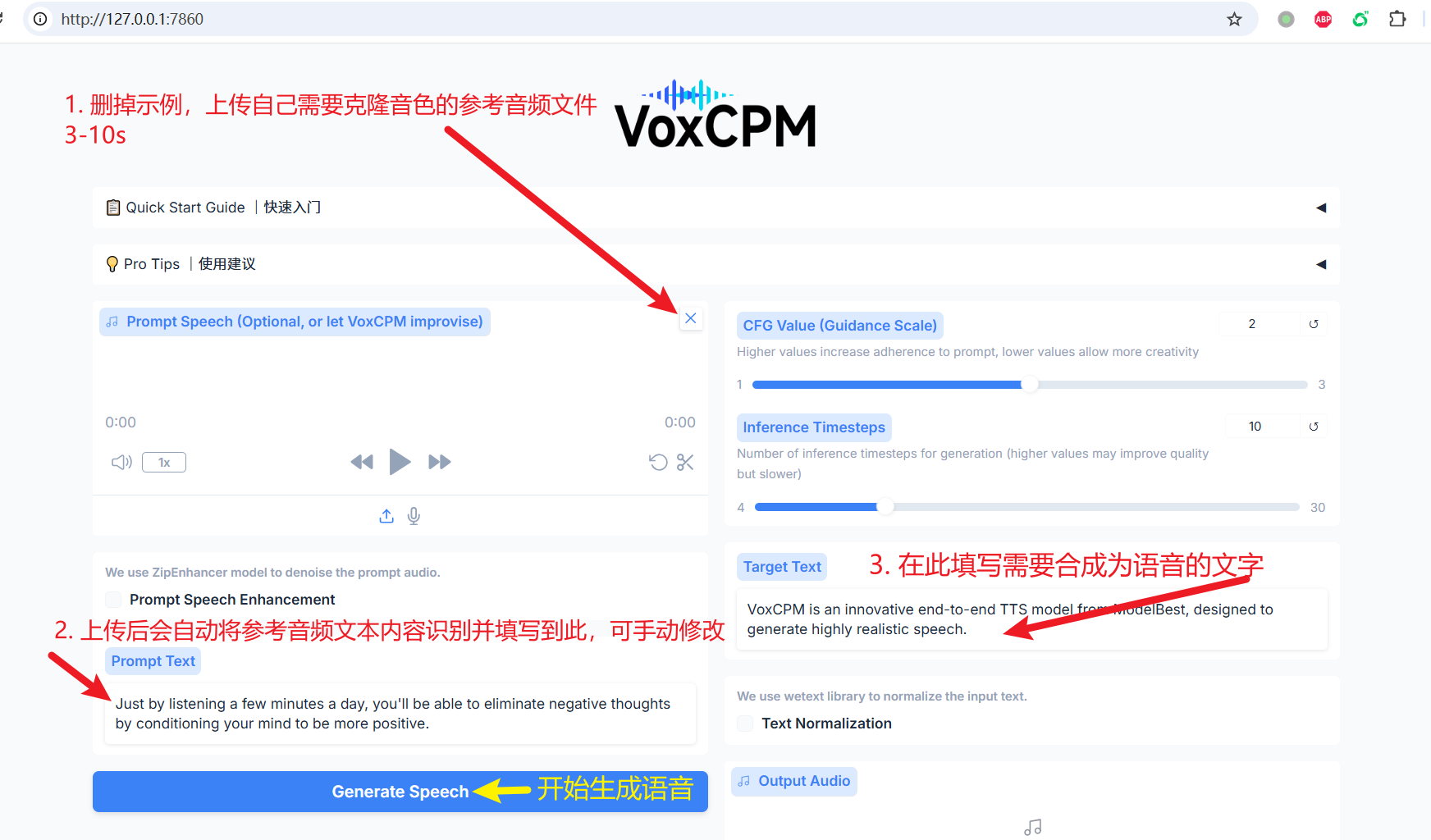
  1. After success, the address http://127.0.0.1:7860 will automatically open in your browser.

  1. Upload a 3-10 second reference audio to clone its voice. After uploading, the corresponding text will be automatically recognized and generated. You can also manually modify it. Then, enter the text you want to synthesize into speech.

Notes:

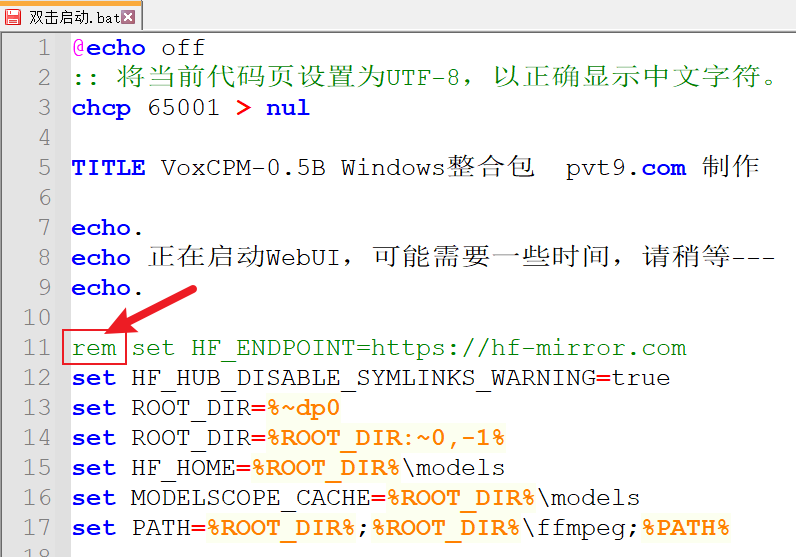
  1. The package already includes the model, but it may still check for model updates. If you encounter a network connection failure during use, with an error containing a string like HTTPConnection, and you don't have internet access via proxy, you can right-click to edit double-click to start.bat, delete the rem before the line rem set HF_ENDPOINT=https://hf-mirror.com, save, and then double-click to start the file again.

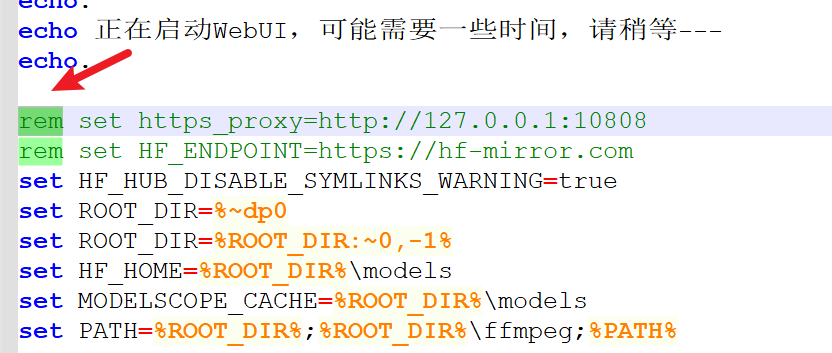
  2. If you can use a proxy and know the proxy port of your tool, you don't need to perform the previous step. Instead, delete the rem before the line rem set https_proxy=http://127.0.0.1:10808, change the 10808 port to your proxy port, save, and restart. This will ensure a more stable connection and reduce connection errors.