Want to experience the power of large models but struggle with insufficient local computer performance? Typically, we deploy models locally using tools like ollama, but limited by computer resources, we can often only run smaller-scale models such as 1.5b (1.5 billion), 7b (7 billion), or 14b (14 billion). Deploying a 70-billion-parameter large model is a huge challenge for local hardware.
Now, you can deploy large models like 70b online using Cloudflare's Workers AI and access them via the internet. Its interface is compatible with OpenAI, meaning you can use it just like OpenAI's API. The only downside is the limited daily free quota, and usage beyond that incurs costs. If you're interested, give it a try!
Preparation: Log in to Cloudflare and Bind a Domain
If you don't have your own domain, Cloudflare provides a free account domain. However, please note that this free domain may not be directly accessible within some regions, and you might need to use some "magic" to access it.
First, go to the Cloudflare website (https://dash.cloudflare.com) and log in to your account.
Step 1: Create a Workers AI
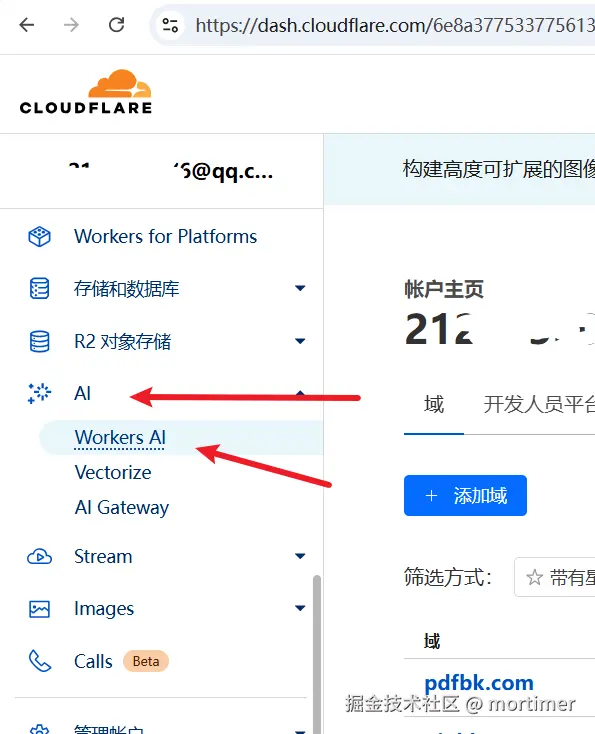
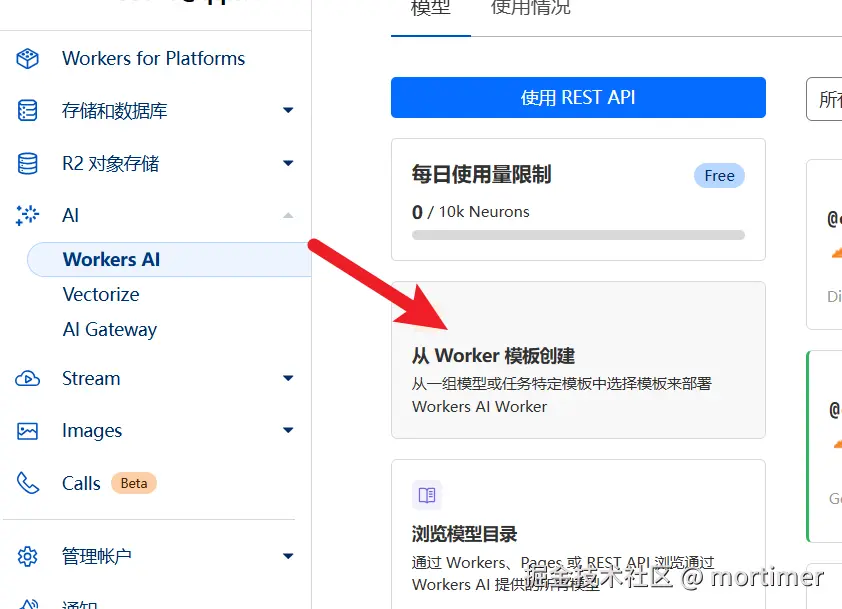
Find Workers AI: In the left navigation bar of the Cloudflare dashboard, find "AI" -> "Workers AI", then click "Create from Worker template".
Create Worker: Then click "Create Worker".
Enter Worker Name: Enter a string consisting of English letters. This string will serve as your Worker's default account domain.

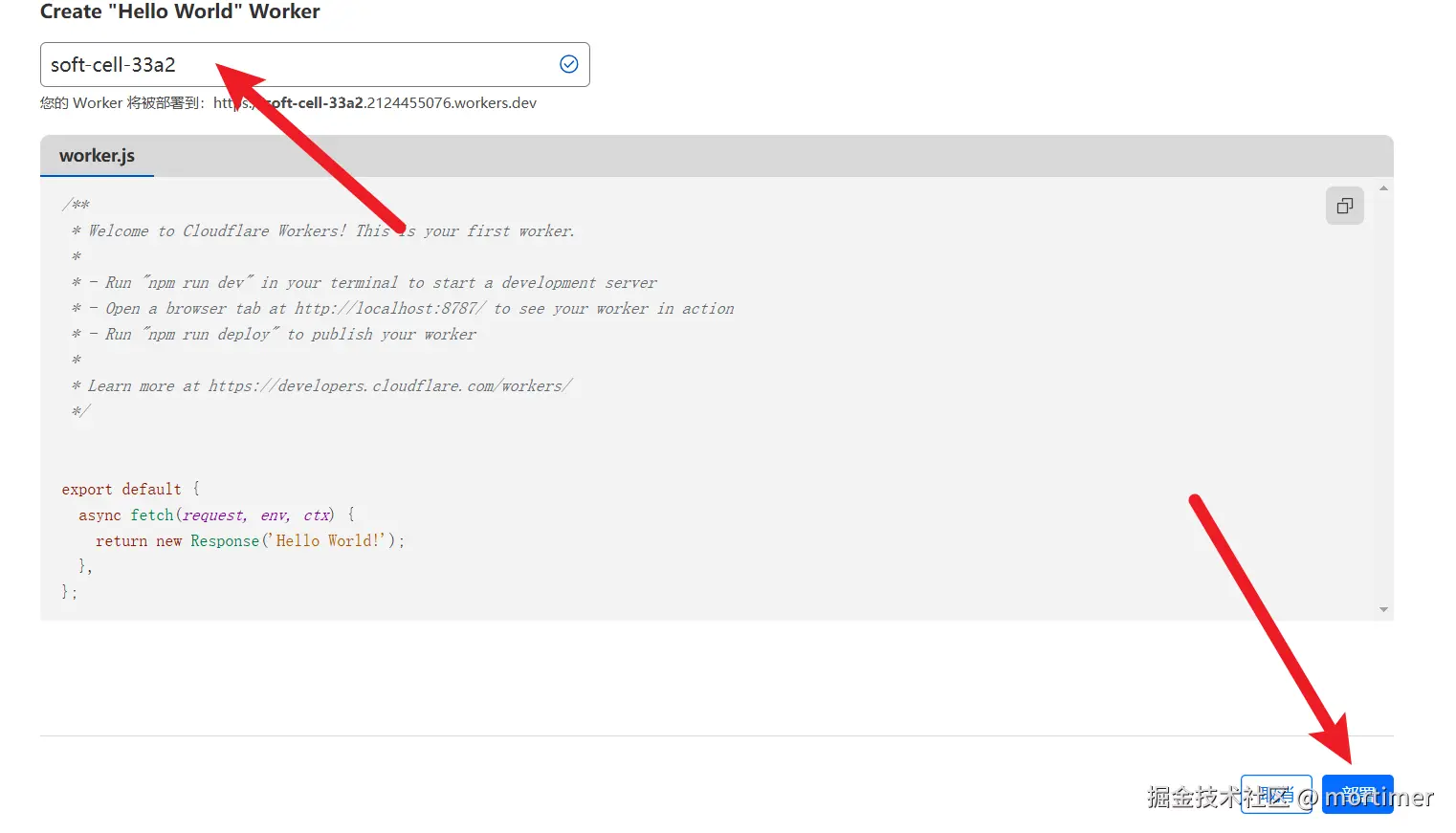
- Deploy: Click the "Deploy" button in the bottom right corner to complete the Worker creation.
Step 2: Modify the Code to Deploy the Llama 3.3 70b Large Model
Enter Code Editor: After deployment, you will see an interface as shown below. Click "Edit code".

Clear Code: Delete all the preset code in the editor.
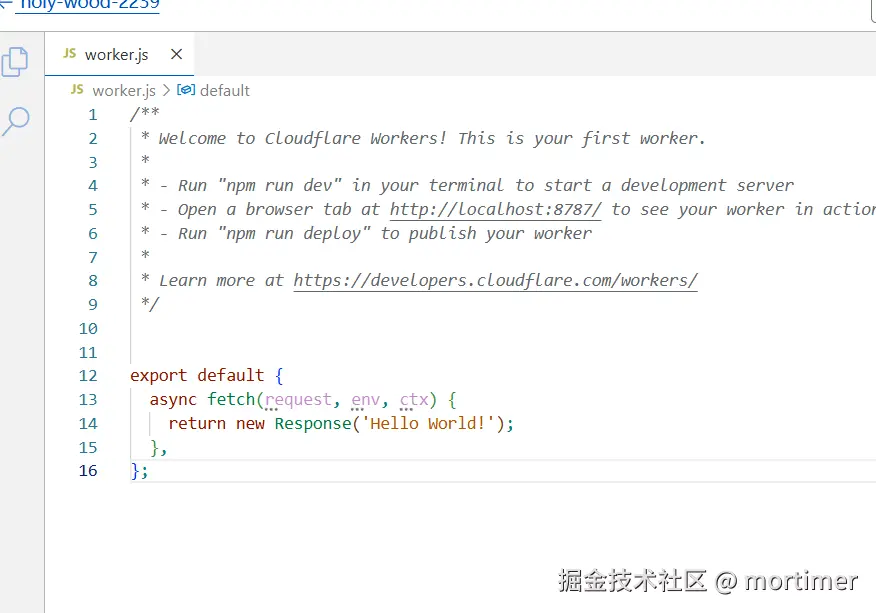
Paste Code: Copy and paste the following code into the code editor:
Here we are using the
llama-3.3-70b-instruct-fp8-fastmodel, which has 70 billion parameters.You can also find other models to replace it on the Cloudflare Models page, such as the Deepseek open-source model. However, currently
llama-3.3-70b-instruct-fp8-fastis one of the largest and most effective models available.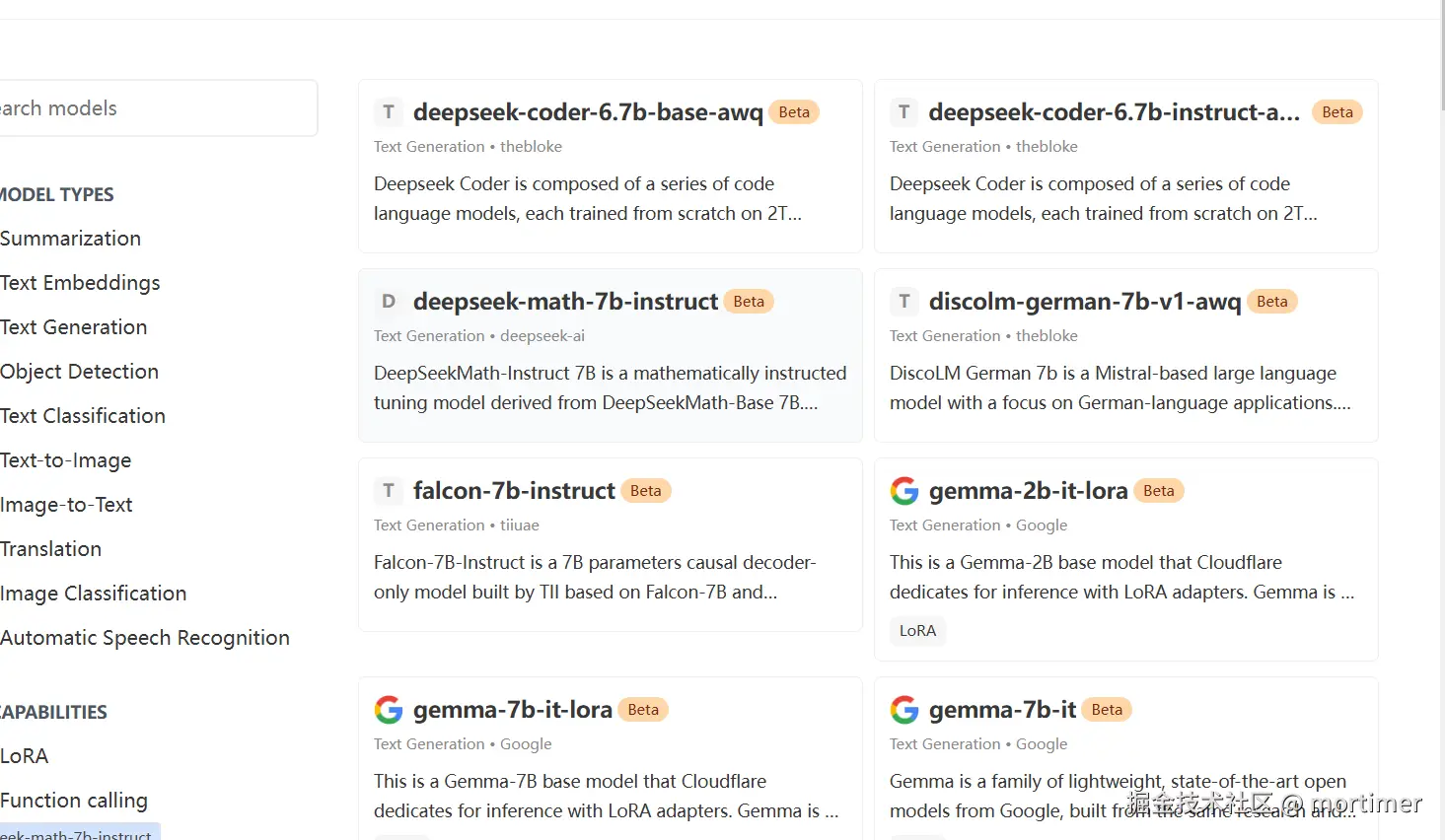 javascript
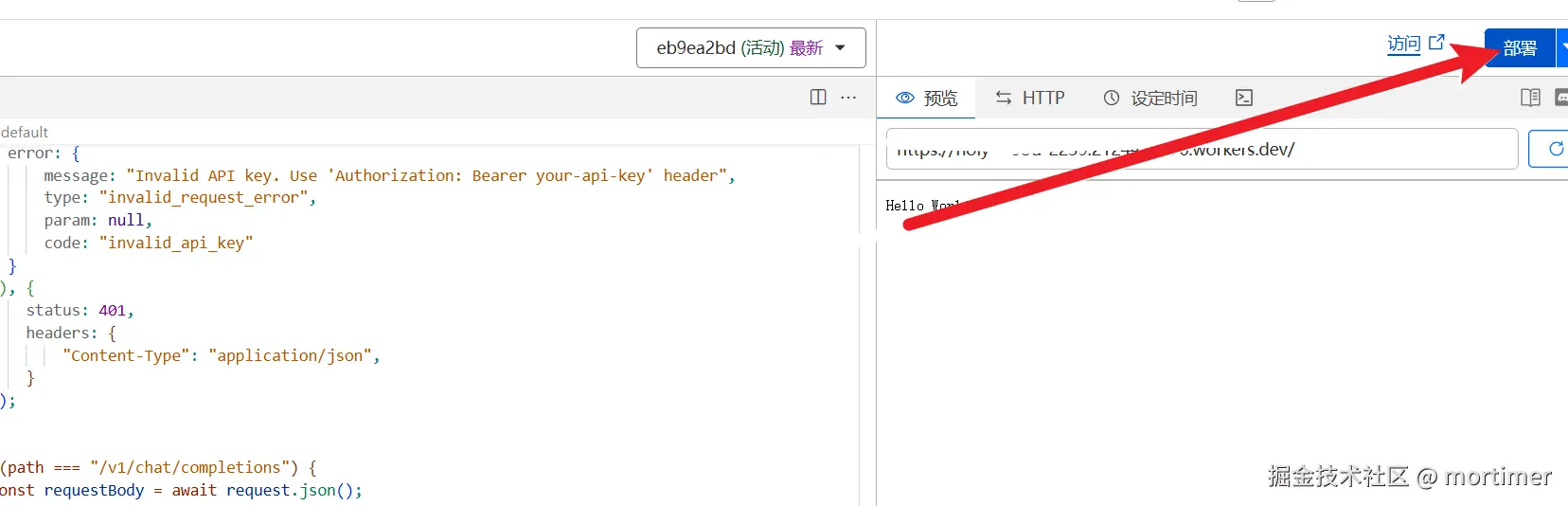
const API_KEY='123456'; export default { async fetch(request, env) { let url = new URL(request.url); const path = url.pathname; const authHeader = request.headers.get("authorization") || request.headers.get("x-api-key"); const apiKey = authHeader?.startsWith("Bearer ") ? authHeader.slice(7) : null; if (API_KEY && apiKey !== API_KEY) { return new Response(JSON.stringify({ error: { message: "Invalid API key. Use 'Authorization: Bearer your-api-key' header", type: "invalid_request_error", param: null, code: "invalid_api_key" } }), { status: 401, headers: { "Content-Type": "application/json", } }); } if (path === "/v1/chat/completions") { const requestBody = await request.json(); // messages - chat style input const {message}=requestBody let chat = { messages: message }; let response = await env.AI.run('@cf/meta/llama-3.3-70b-instruct-fp8-fast', requestBody); let resdata={ choices:[{"message":{"content":response.response}}] } return Response.json(resdata); } } };Deploy Code: After pasting the code, click the "Deploy" button.
Step 3: Bind a Custom Domain
- Return to Settings: Click the back button on the left to return to the Worker management page, then find "Settings" -> "Domains and routes".
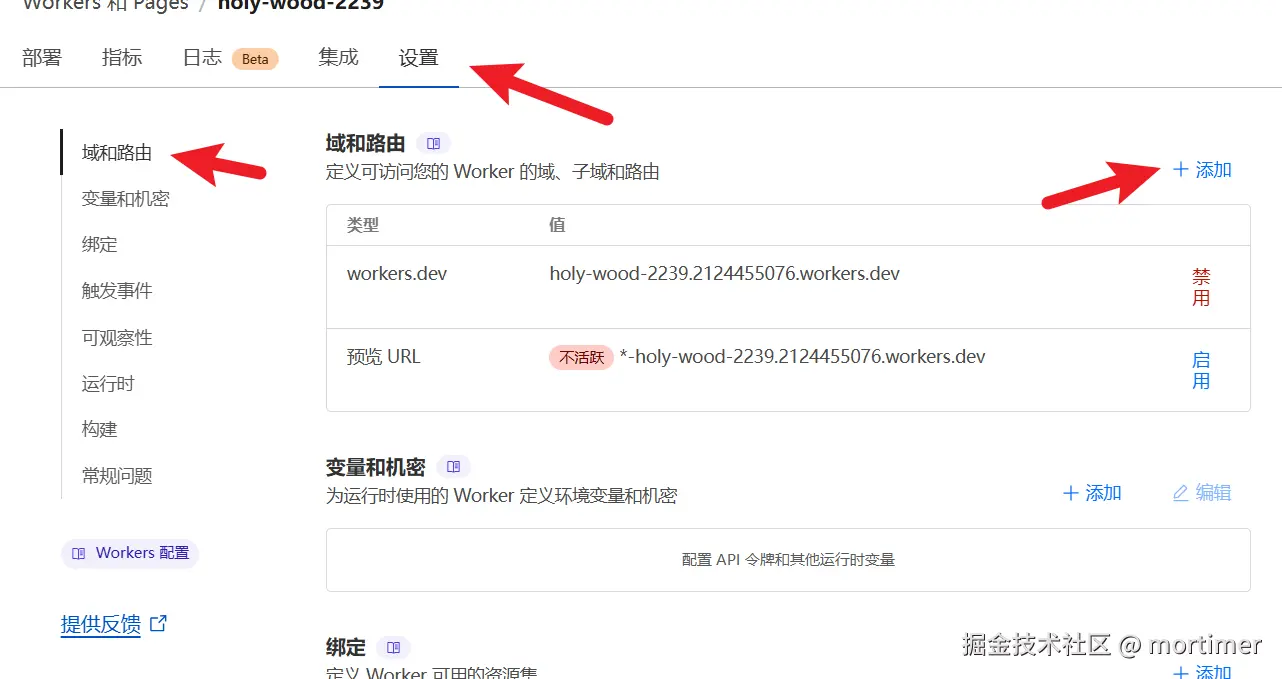
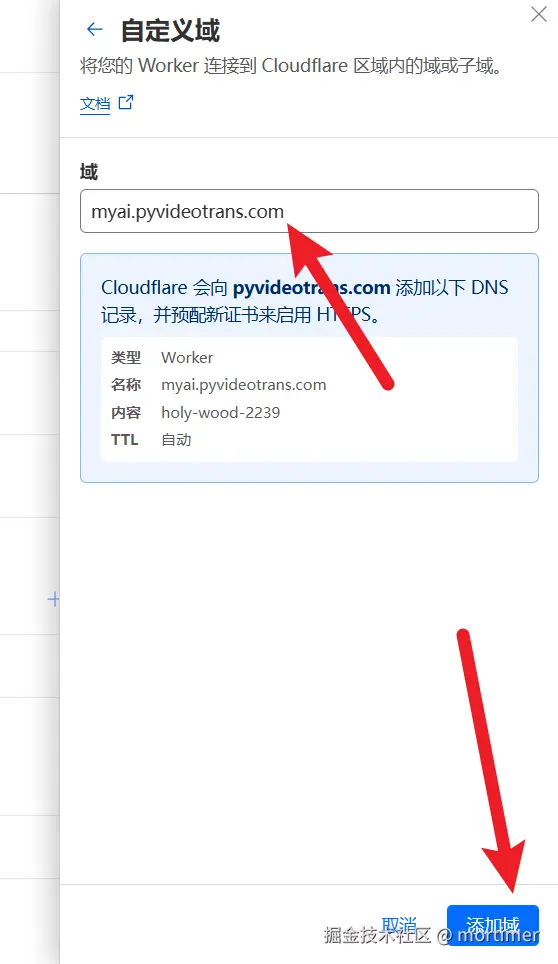
- Add Custom Domain: Click "Add domain", then select "Custom domain" and enter the subdomain you have already bound to Cloudflare.
Step 4: Use in OpenAI-Compatible Tools
After adding the custom domain, you can use this large model in any tool compatible with the OpenAI API.
- API Key: This is the
API_KEYyou set in the code, defaulting to123456. - API Address:
https://your-custom-domain/v1
Thanks to Cloudflare's powerful GPU resources, the experience will be very smooth.
Important Notes
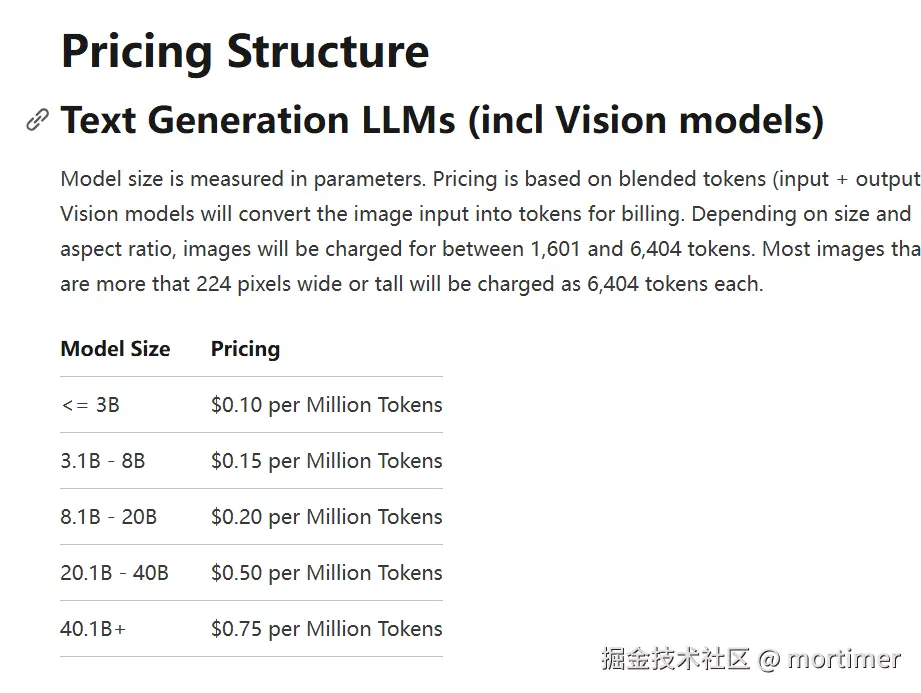
- Free Quota: Cloudflare Workers AI provides a daily free quota of 10k tokens. Usage beyond this limit will incur costs.
- Pricing Details: You can view detailed pricing information on the Cloudflare official pricing page (https://developers.cloudflare.com/workers-ai/platform/pricing/).