
v3.83 Version Update Notes
1. Enhanced Single Video Translation Capability
When only one video is selected, a separate subtitle editing window will pop up after the speech transcription is completed. You can modify the subtitles here to ensure greater accuracy in subsequent processes.
Subtitle editing window pops up after the speech recognition stage is completed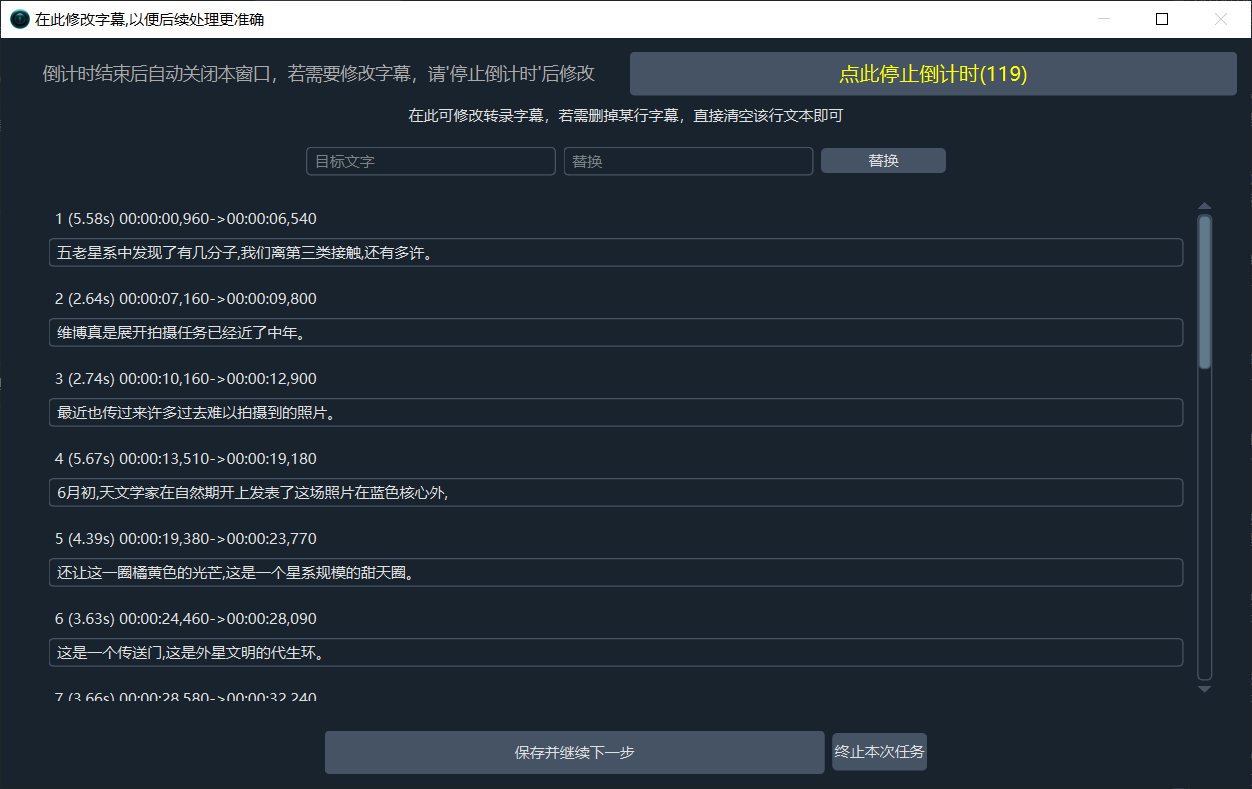
In the window that pops up after subtitle translation is completed, you can also assign a specific voice role to each subtitle line. If your chosen speech recognition service supports speaker diarization, you can set different voice roles for each speaker.
Subtitle editing and voice role modification window pops up after the subtitle translation stage is completed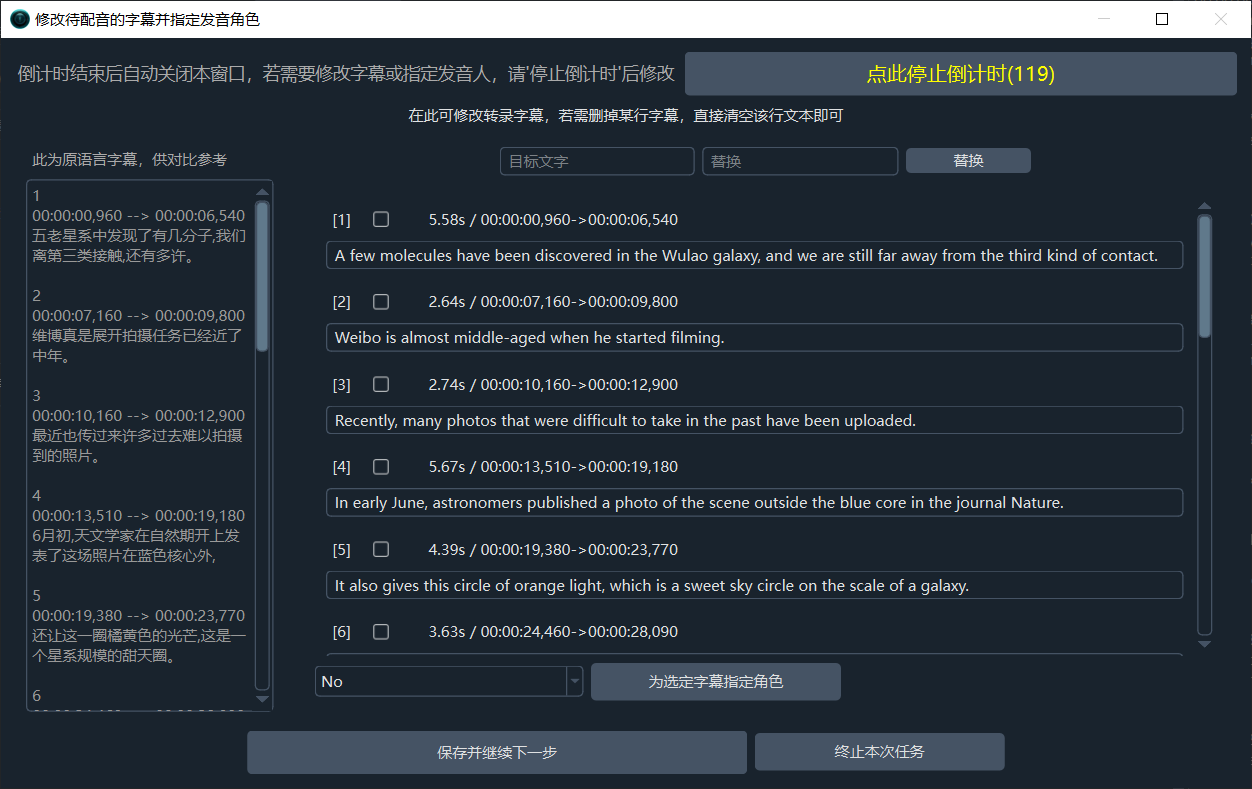
Currently supported speech recognition services with speaker diarization are:
- ByteDance Speech Recognition Large Model Fast Edition
- GeminiAI Large Model Recognition
- Alibaba FunASR Chinese Recognition
- Deepgram.com
- OpenAI Speech Recognition (Must be official OpenAI with the model
gpt-4o-transcribe-diarize)
2. Added Doubao TTS Large Model 2.0 to Voice Synthesis Services
View details for the stable Doubao TTS Model 2.0
3. Added ByteDance Speech Recognition Large Model Fast Edition API to Speech Recognition Services
View details for ByteDance Speech Recognition Large Model Fast Edition
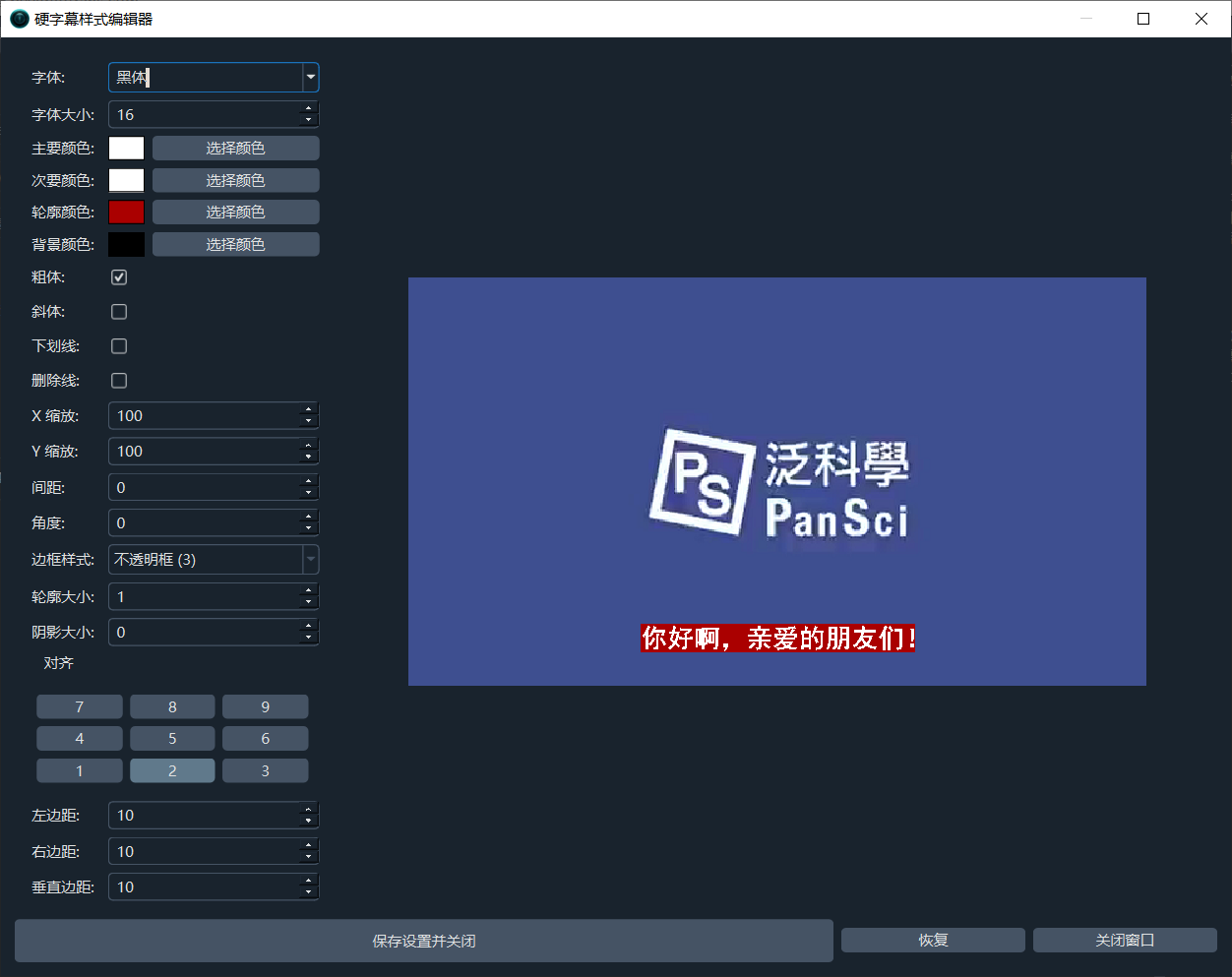
4. Enhanced Hard Subtitle Style Modification and Preview Function
Soft subtitle styles are controlled by the player and cannot be adjusted. Hard subtitle styles can be modified and adjusted before being embedded into the video. Click Hard Subtitle Style Adjustment on the main interface to open the modification and preview window.
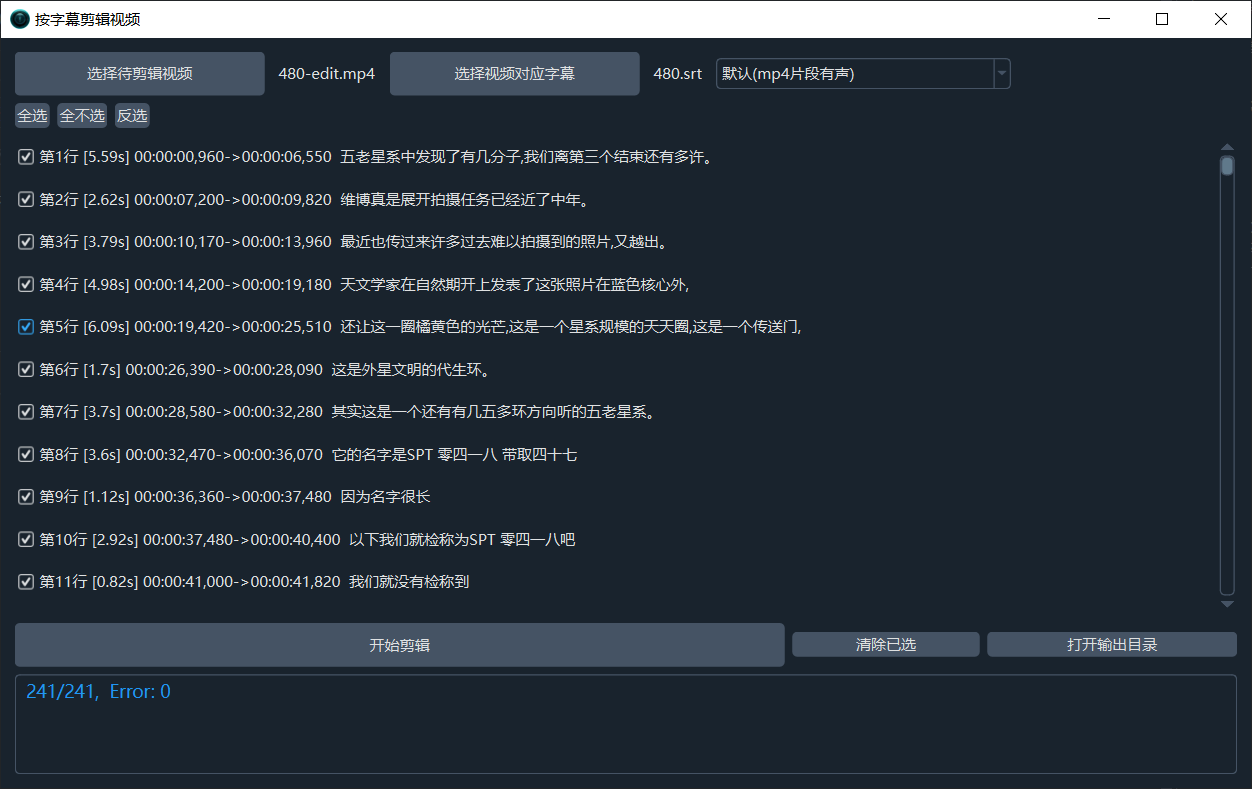
5. Added Clip Video by Subtitles Feature
If you want to cut video clips based on corresponding subtitles, you can use this feature.
6. Other Optimizations
- Optimized video slow-motion algorithm, improving time accuracy.
- Added a confirmation dialog when
Clean Generated Filesis selected and files exist in the output directory. - Optimized UI layout, rearranged according to the
Speech Recognition -> Subtitle Translation -> Voice Synthesisworkflow. - Modified the order of items in the dropdown menus for Speech Recognition, Translation, and Voice Synthesis services.
- Optimized the method for obtaining ffmpeg hardware encoding; it is now tested only once upon first use, unless the cache file
videotrans/codec.jsonis deleted. - Added the
-threads 0parameter during ffmpeg processing to enhance multi-core support.